白皮书
Formlabs Logo

清洁 Fuse Blast 的介质筛网

清洁 Fuse Blast 的介质筛网

介质筛网可分离粉末并将其回收到介质料斗中。在正常使用过程中,结块和硬化的材料可能会聚集在网格上,必须予以清除,以确保继续收集回收粉末。应在进行大约 20 次介质喷砂周期后,清理介质筛网。如果发现介质料斗中有废粉,请更频繁地清理介质筛网。

警告:

摩擦会使干燥的粉末产生静电电荷。请勿使用扫帚或压缩空气软管清理介质筛网。仅使用已接地且已进行等电位连接的防静电真空装置(例如符合 NFPA 652 标准的真空装置)。

清洁 Fuse Blast 的介质筛网
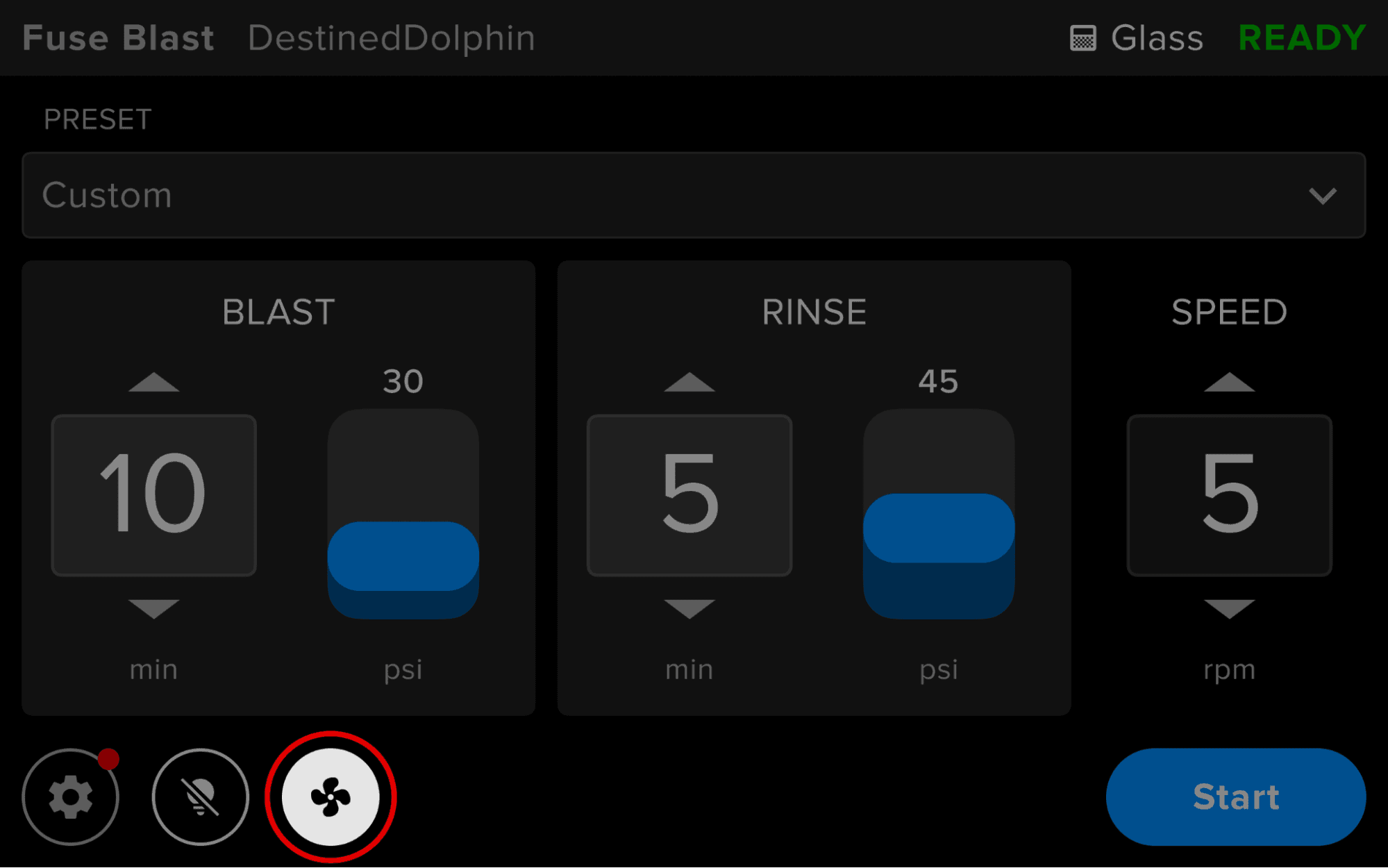
  1. If the fan is running, turn it off by clicking the fan icon in the bottom-right corner of the touchscreen, and wait one minute for powder to settle.
Fan icon on the Fuse Blast touchscreen
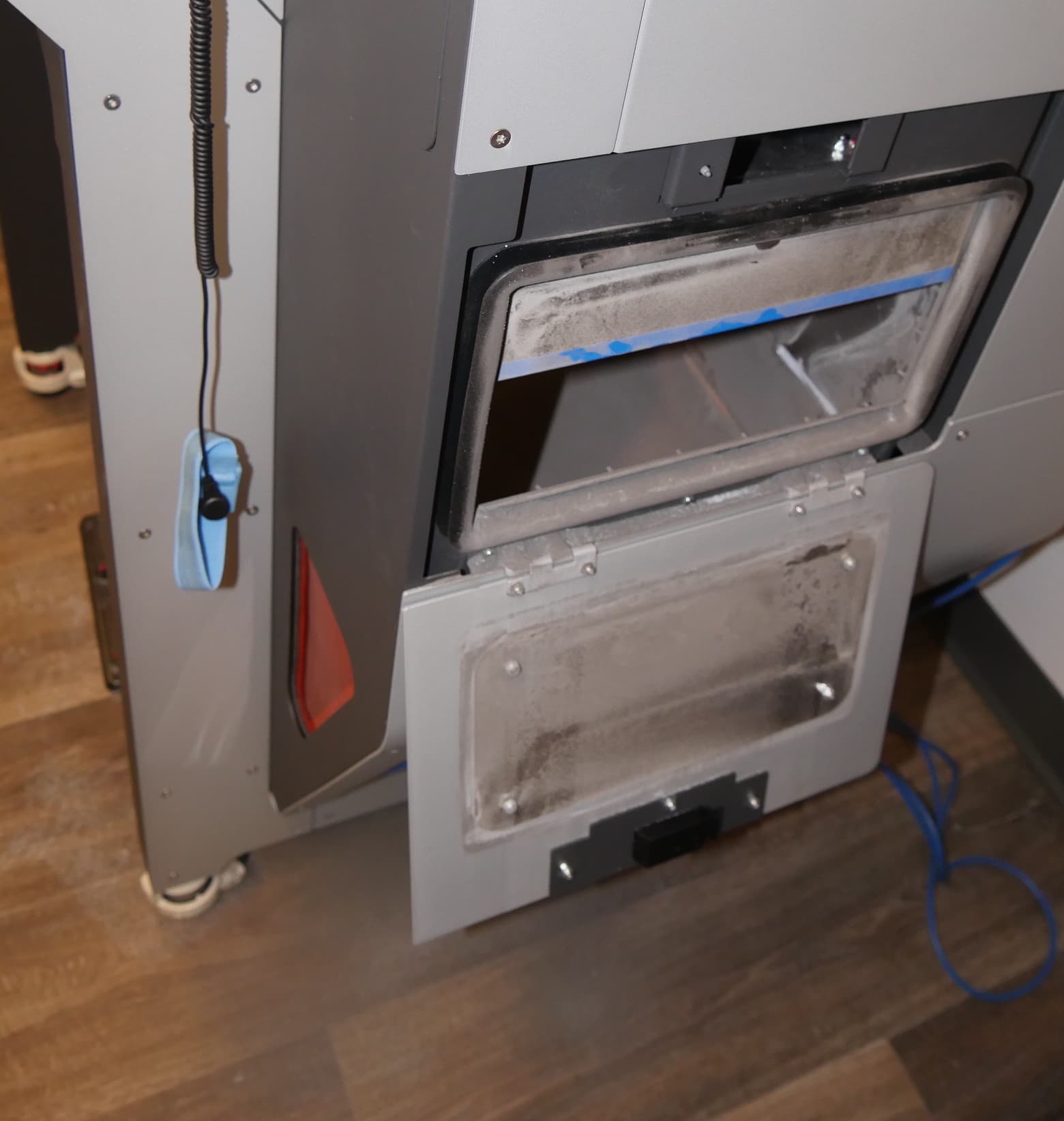
  1. Unlatch the waste hopper door on the right hand side of the machine to access the media filter mesh.
Open Fuse Blast waste hopper door
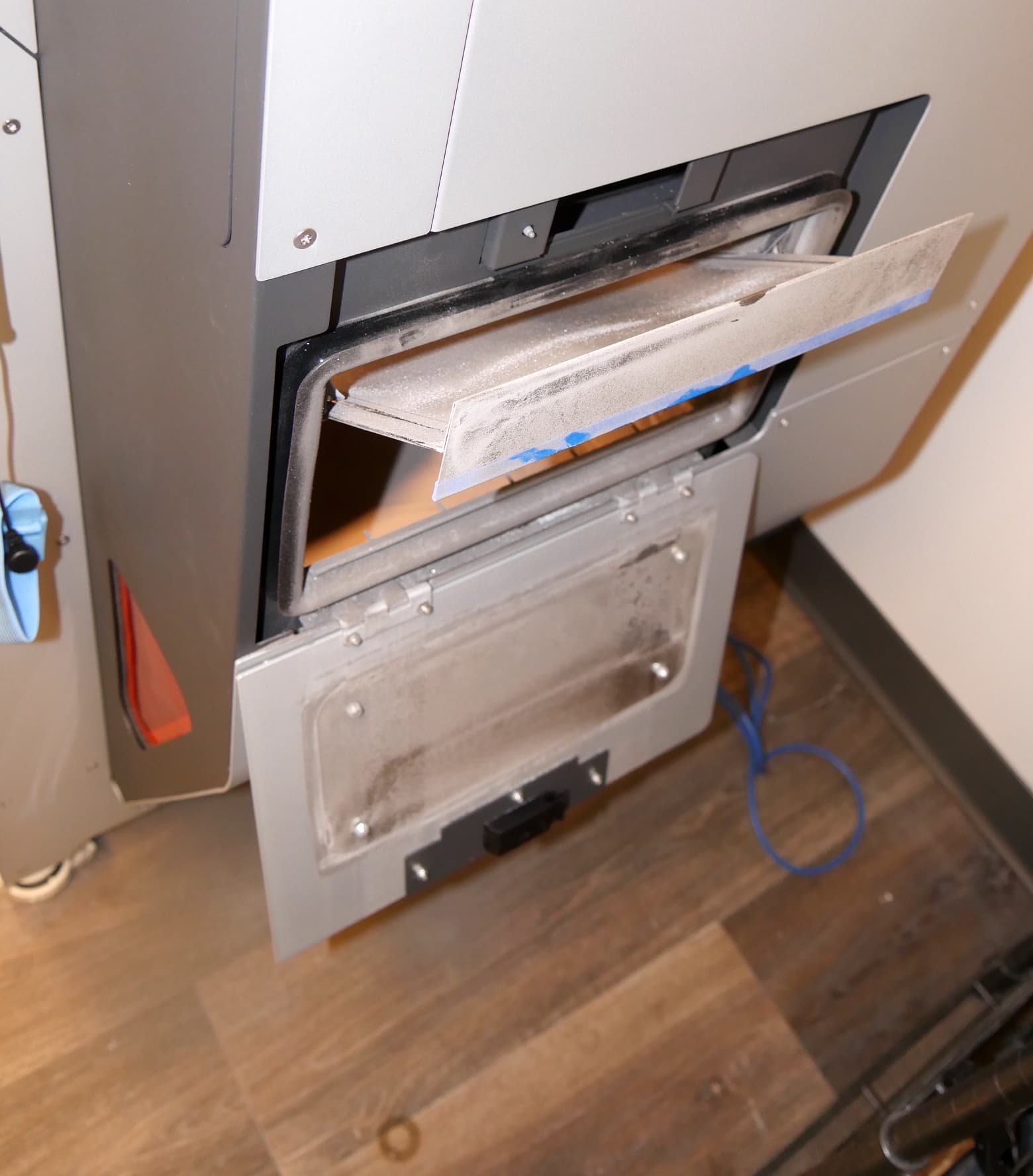
  1. Carefully begin to pull out the media filter mesh.
Partially removed Fuse Blast media filter
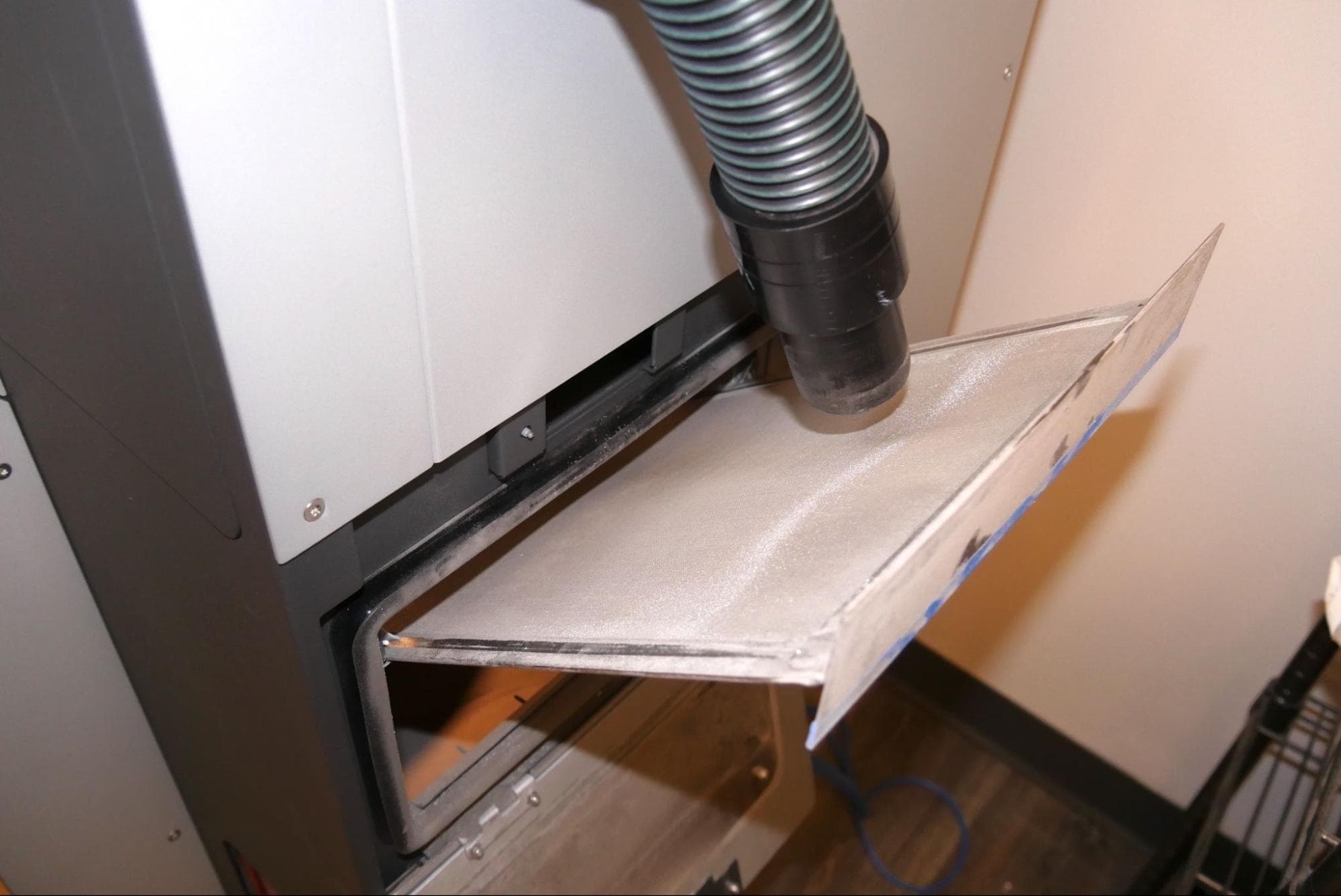
  1. While pulling out the media filter mesh with one hand, vacuum the top of the mesh from left to right with the other hand. Note any loose powder that falls down into the work area.
Vacuuming the Fuse Blast media filter
  1. 向下移动并交叉真空装置,直至清理完整个网格,且不再有散粉掉落。

注意:

请勿用手、真空装置或任何坚硬工具施加压力或接触网格。任何外力都可能破坏网格,使组件无法正常过滤出无用粉末。

  1. 将介质筛网重新牢固地装入 Fuse Blast。
  2. 重新安装介质筛网后,关闭废物料斗门。锁上门,确保门完全关闭。
  3. 使用真空装置清理掉落到工作区的散粉。