
白皮书
熔化 (SLS)
熔化 (SLS)
在正常操作中,打印机有选择地将粉末加热到刚好低于其熔点的温度,使之熔合成打印部件。如果打印机将粉末加热到高于该温度的温度,粉末就会熔化。
表现
粉末熔化的原因有多种,涉及多个方面。一般来说,粉末熔化有三种常见方式:
- 全局熔化:整个打印区域熔化
- 局部熔化:打印区域的大部分熔化,通常发生在构建的一侧
- 周边熔化:打印区域的外缘熔化,但打印区域的中心不熔化
原因
- 红外传感器受污染
- 红外传感器 O 型圈缺失(仅限 Fuse 1+ 30W)
- 成型室插头损坏
- 加热器故障
故障排查步骤
确定打印件中熔化的区域
打印区域中有三个常见的粉末熔化区域。每种熔化故障都有不同的根本原因,因此在尝试采取任何故障排查步骤之前,确定熔化故障的类别非常重要。
整体熔化:整个打印区域熔化。这种情况可能会在预印期间突然发生,也可能在长时间打印过程中逐渐发生。
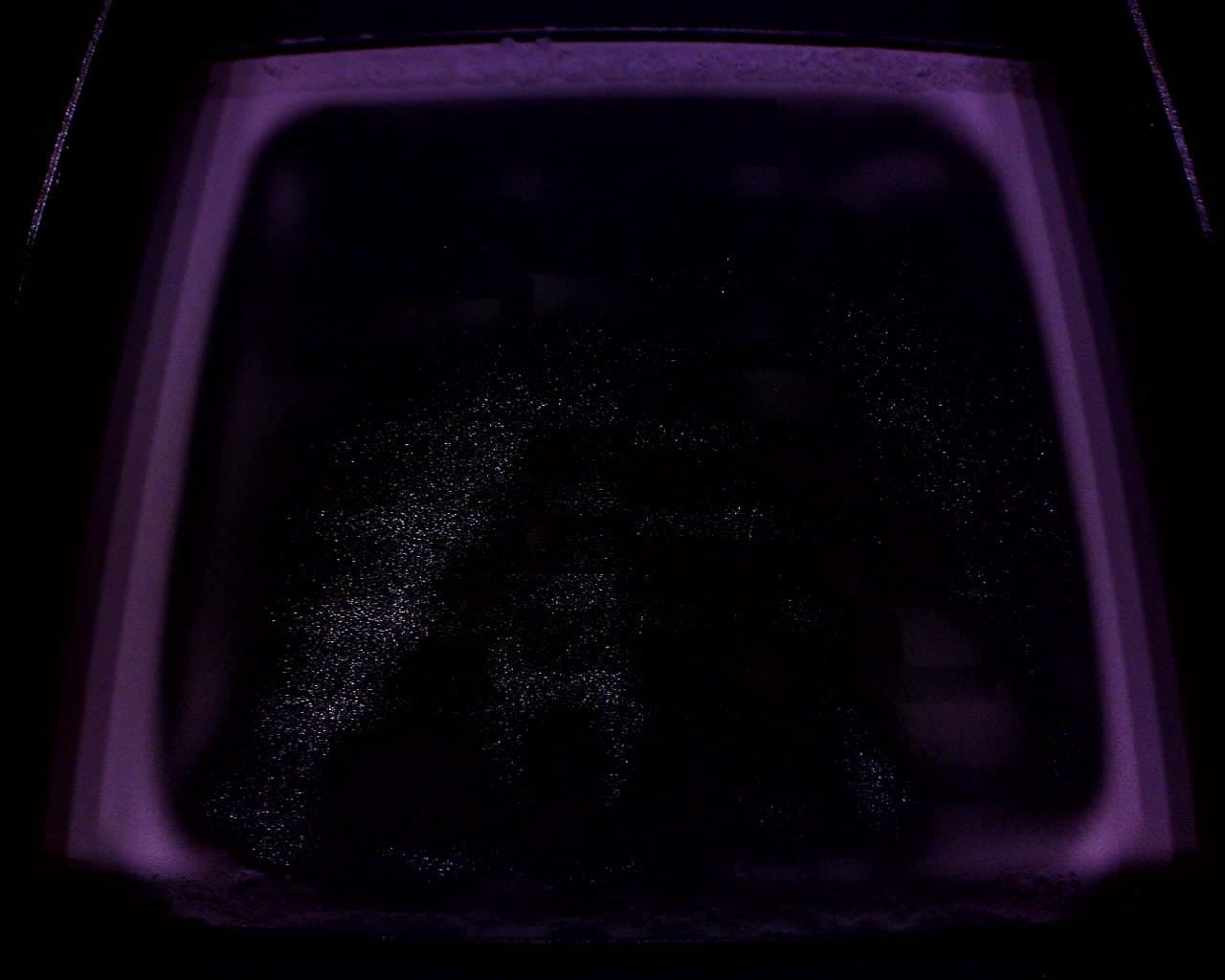
全球熔化结果
全面熔化视频
局部熔化: 打印区域的大部分熔化,通常是成型件的一侧。
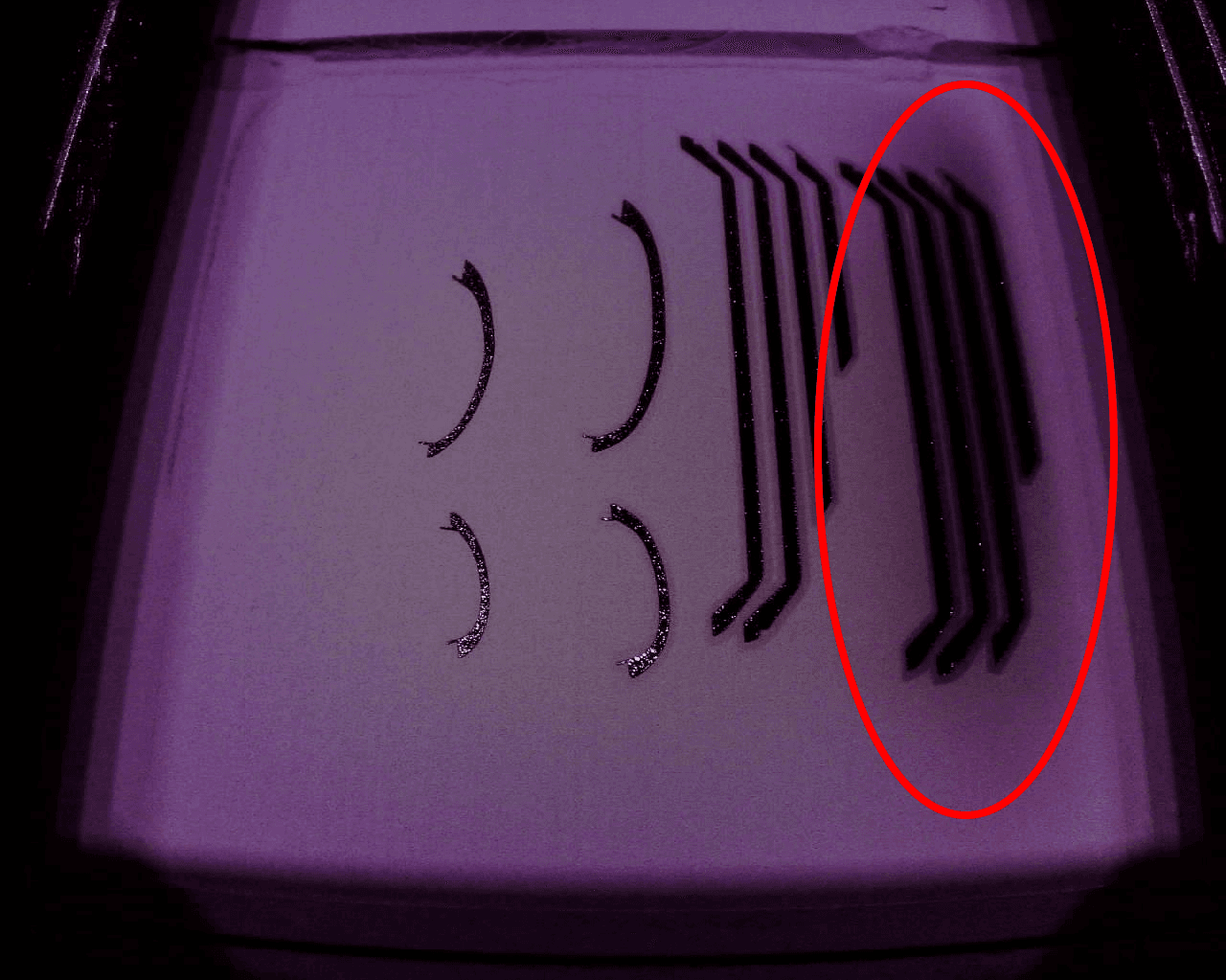
局部熔化视频
周边熔化:打印区域的外边缘熔化,但打印区域的中心未熔化。
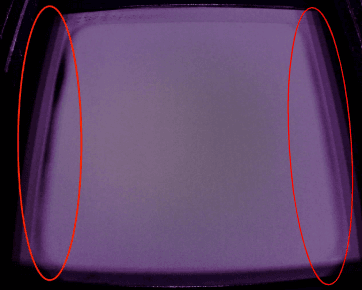
周边熔化视频
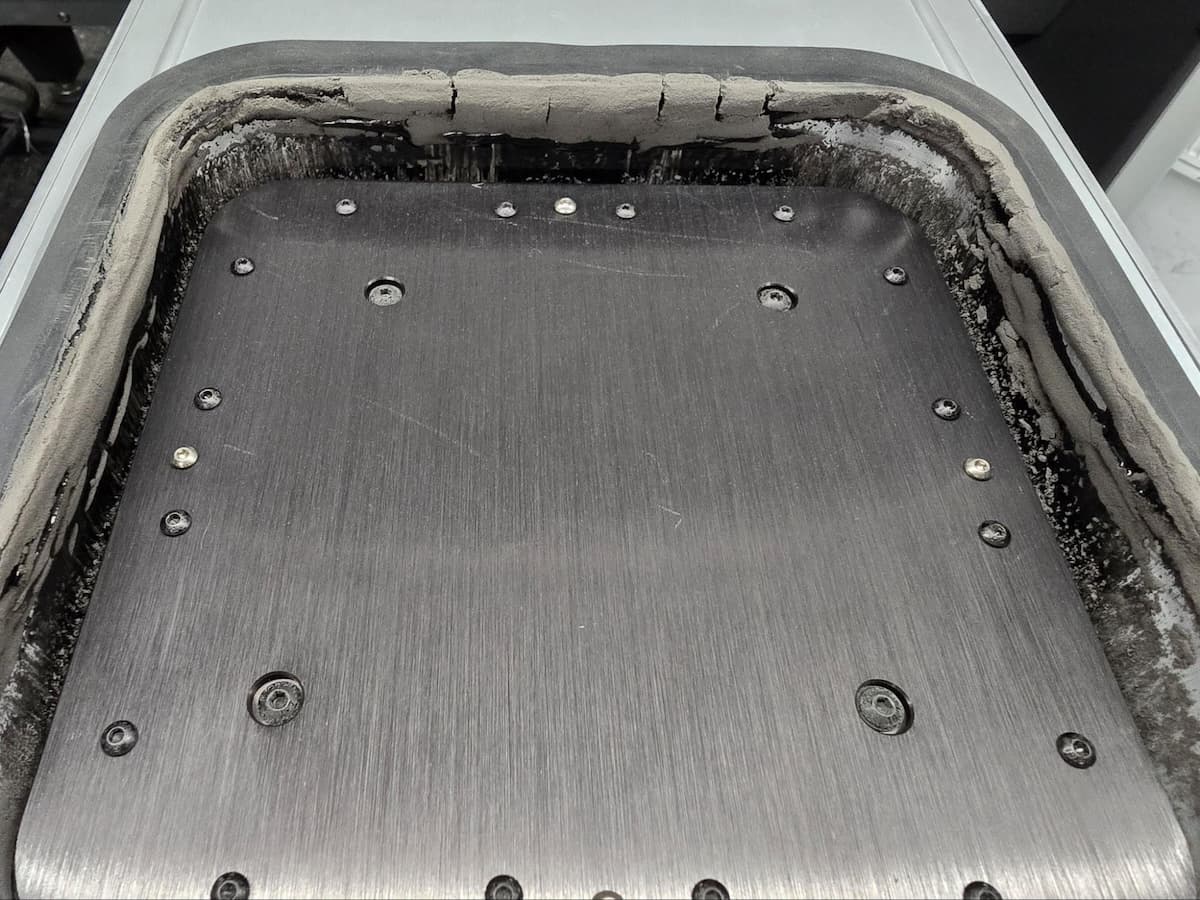
周边熔化结果
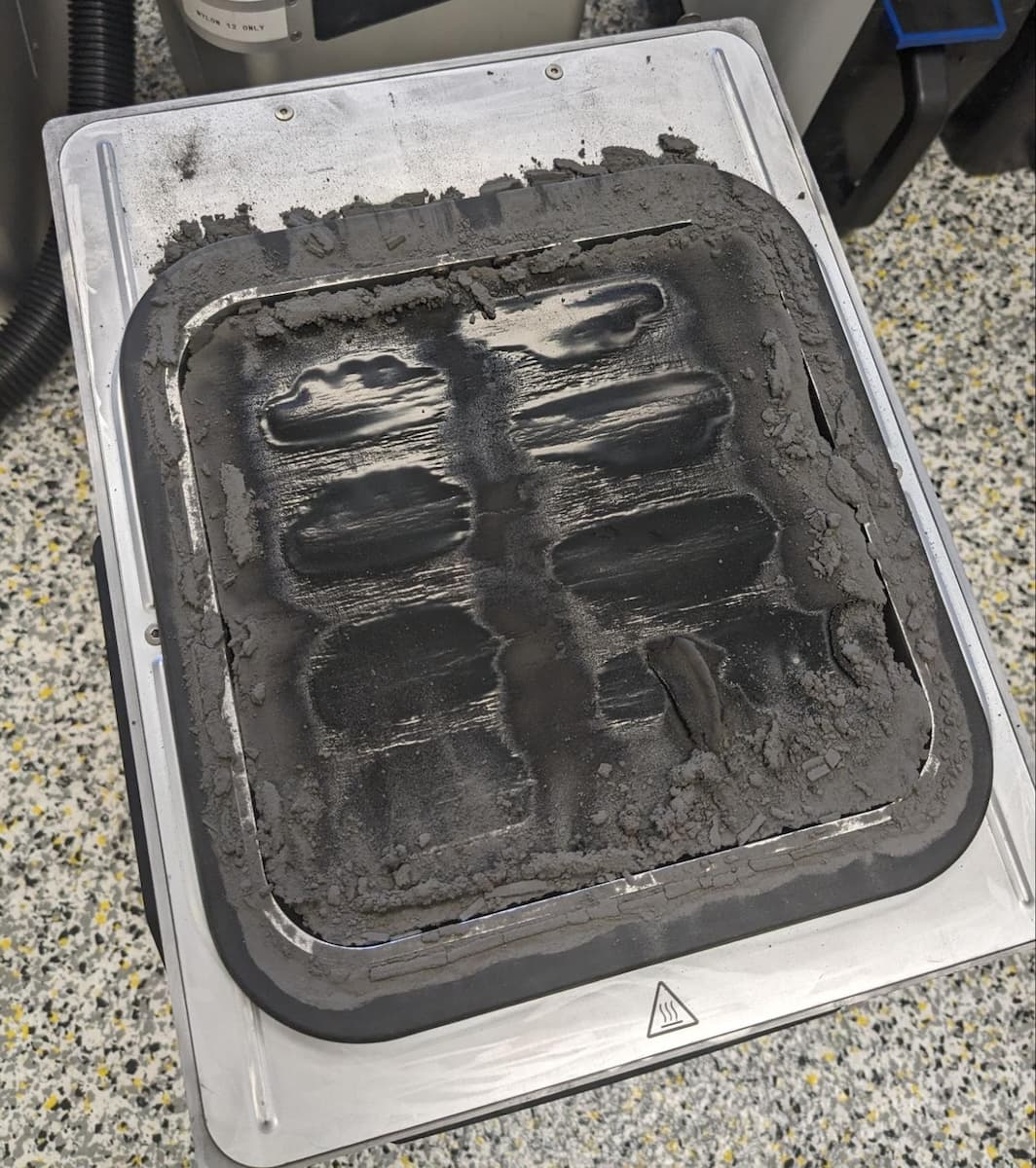
清理熔化的粉末
- 从成型室中取出打印失败的部件。如果熔化的粉末粘在成型室壁上,可用热风枪将粉末吹松。
- 如果可以去除熔化的粉末,请按照相关说明修复成型室。可在 Formlabs 网络商店购买替换件。
- 更换成型室外部框架垫圈 [英文版] [德文版] [西班牙文版] [法文版] [意大利文版] [日文版] [中文版]
- 更换 Fuse 1 代成型室内部垫圈 [英文版] [德文版] [西班牙文版] [法文版] [意大利文版] [日文版] [中文版]
- 更换 Fuse 1 代成型室打印床 [英文版] [德文版] [西班牙文版] [法文版] [意大利文版] [日文版] [中文版]
- 彻底清理打印机中的构建板和槽,清除所有碎屑。
整体熔化
确定发生了哪种整体熔化问题,以便确定后续步骤。
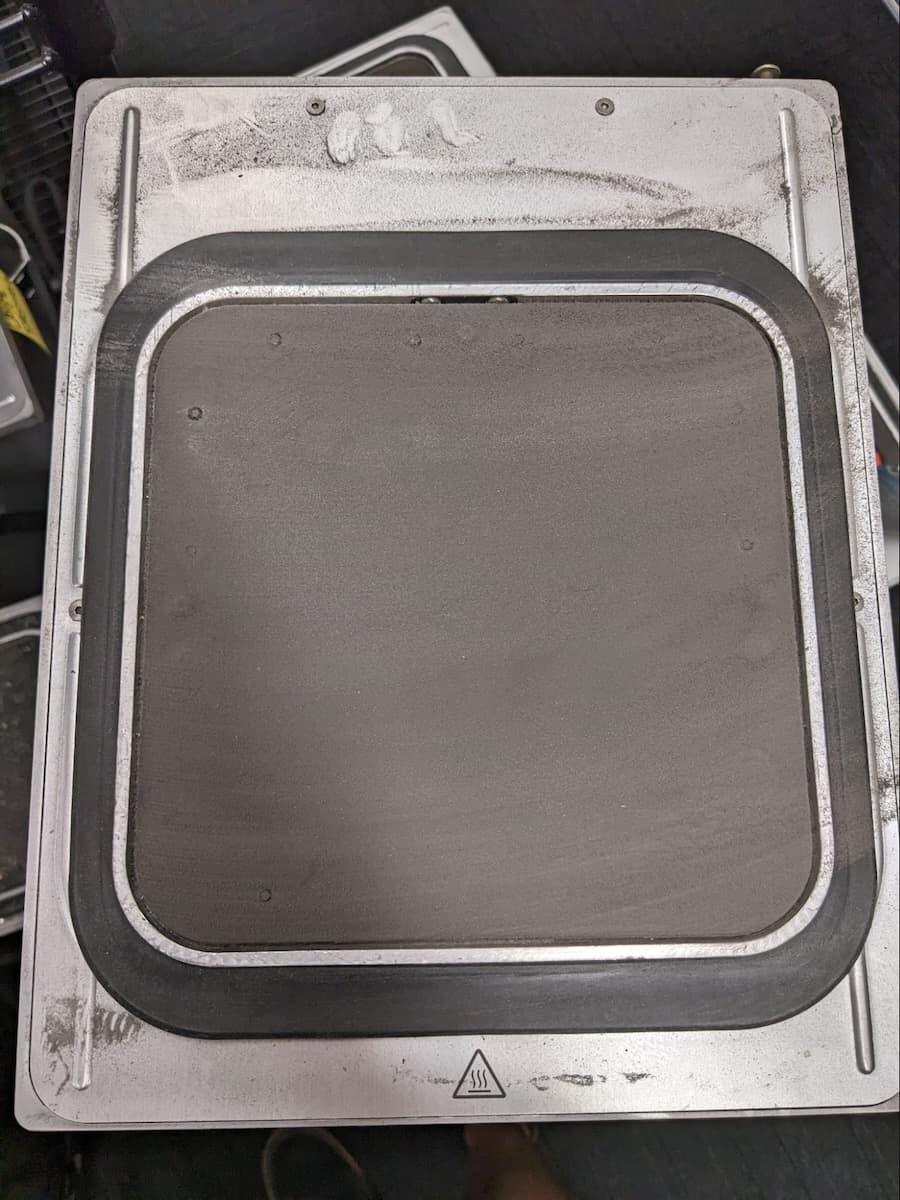
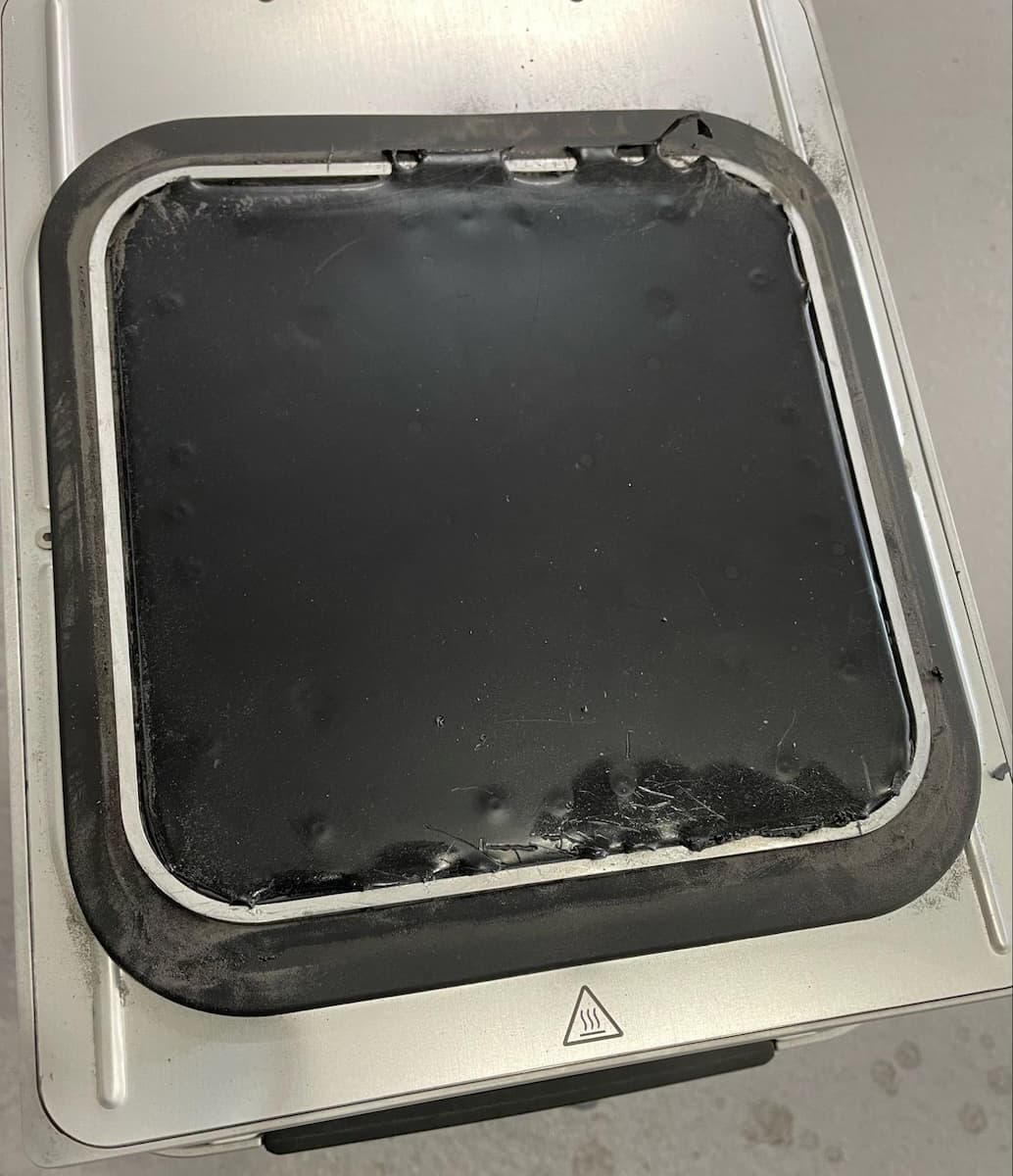
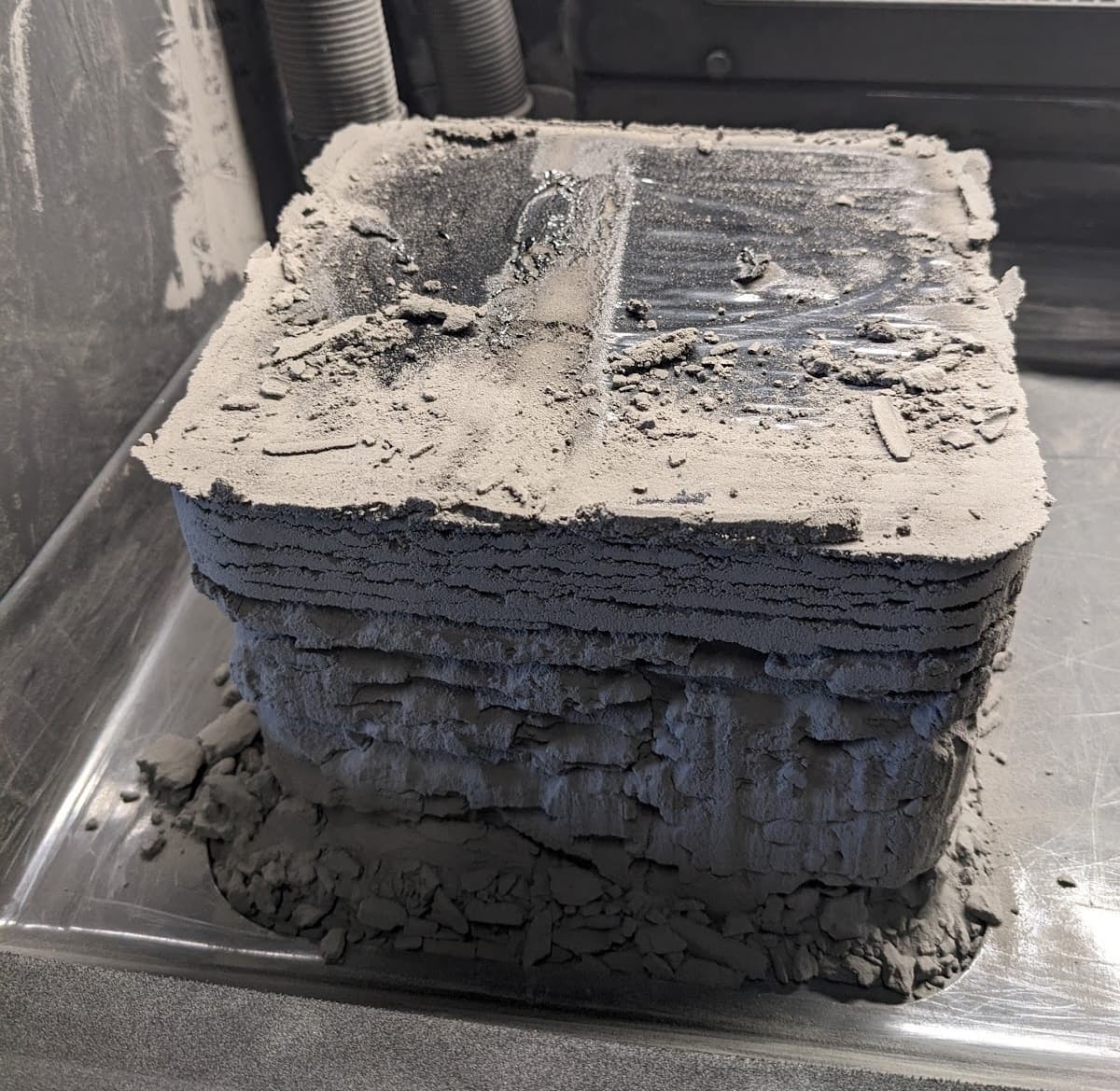
预印熔化:光亮且未粘在打印床上
预印熔化:哑光并粘附在打印床上
后期打印熔化
- If global melting occurs during preprint and the resulting material is shiny on top and not stuck to the print bed, the IR sensor is dirty or improperly installed.
- Clean the IR sensor lens and IR sensor housing. Ensure there is no white residue obstructing the IR sensor lens.
- Fuse 1+ 30W only: Ensure that the rubber O-ring around the base of the IR sensor probe is present and undamaged.
- Reseat the IR sensor, ensuring the IR sensor fits securely in its housing.
- Attempt another print. If melting occurs again, contact Formlabs Support or your certified service provider.
- If global melting occurs during preprint and the material is firmly stuck to the print bed with a matte finish on top, that indicates an issue with the build chamber electrical connection.
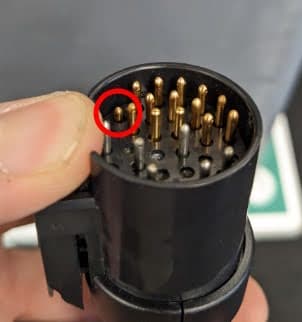
- 检查插头插针是否出现弯曲或凹陷。如果插针陷入插头中,则用钳子轻轻拔出插针。如果插针没有固定到位,则连接器外壳可能已损坏。请联系 Formlabs Support 或您的 认证服务提供商。
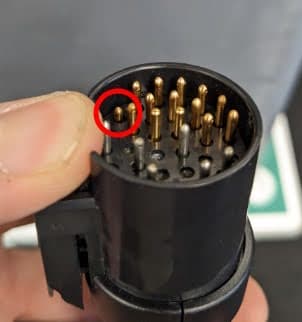
- Inspect the pins on the build chamber socket on the printer. If any are damaged, contact Formlabs Support or your certified service provider.
- If the pins are undamaged, clean the pins on both the build chamber and printer using compressed air, ensure the plug is fully inserted and flush with the printer enclosure.
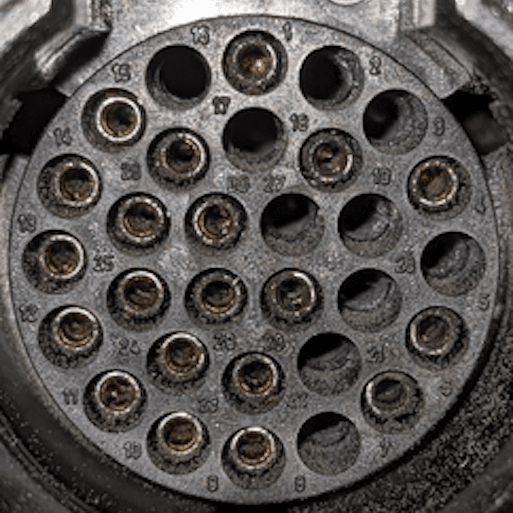
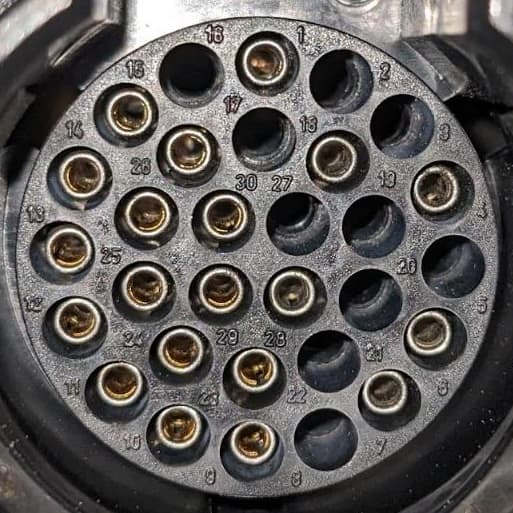
成型室插头插针脏污
清洁成型室插头插针
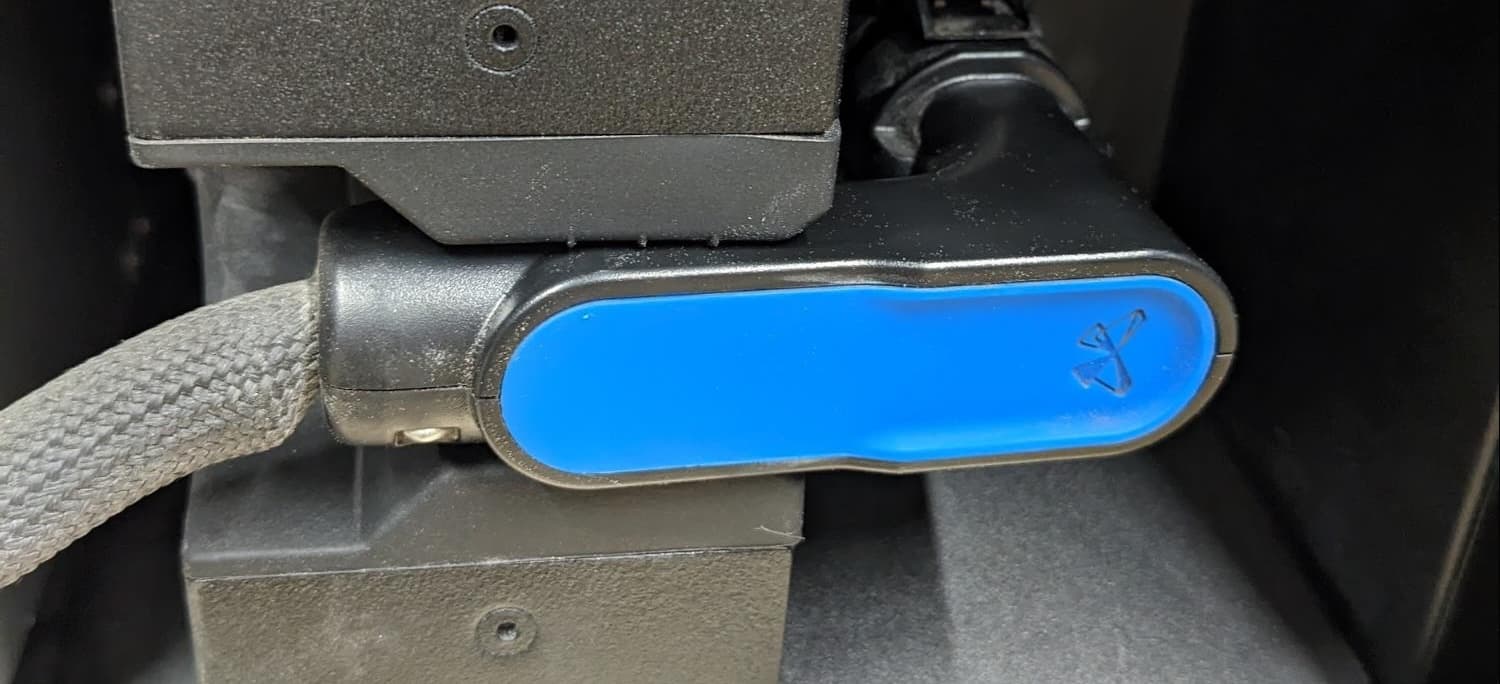
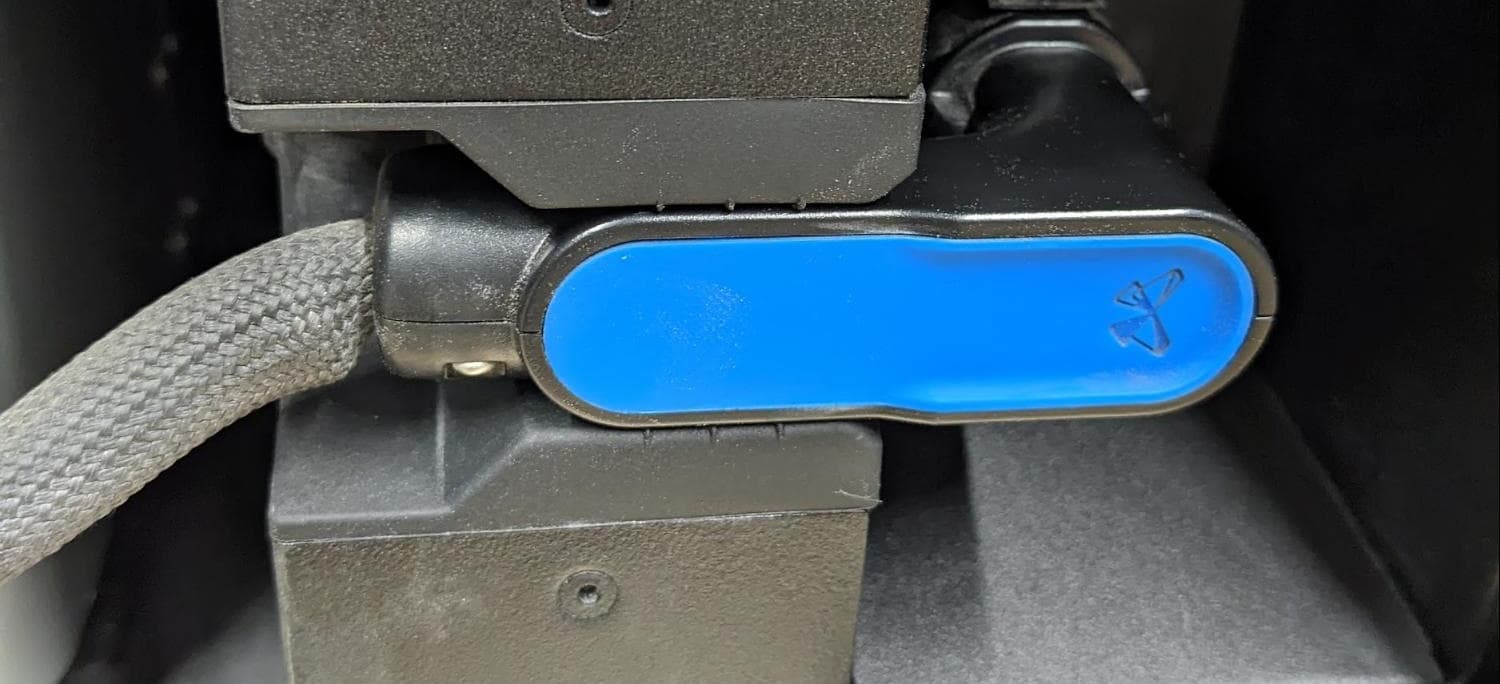
成型室插头安装不当
成型室插头完全就位
- Attempt another print. If melting occurs again, contact Formlabs Support or your certified service provider.
- If global melting occurs towards the end of a long print, that indicates an issue with the IR sensor getting clouded during the print.
- Clean the IR sensor lens and IR sensor housing. Ensure there is no white residue obstructing the IR sensor lens.
- Fuse 1+ 30W only: Ensure that the rubber O-ring around the base of the IR sensor probe is present and undamaged.
- Reseat the IR sensor, ensuring the IR sensor fits securely in its housing.
- Thoroughly clean the exhaust filter, exhaust fan, and exhaust line.
- Fuse 1+ 30W only: Use a pipe cleaner to clear out the pressure tap hole in the fan plenum below the exhaust fan. Use compressed air if necessary, but take care not to mobilize significant amounts of loose powder.
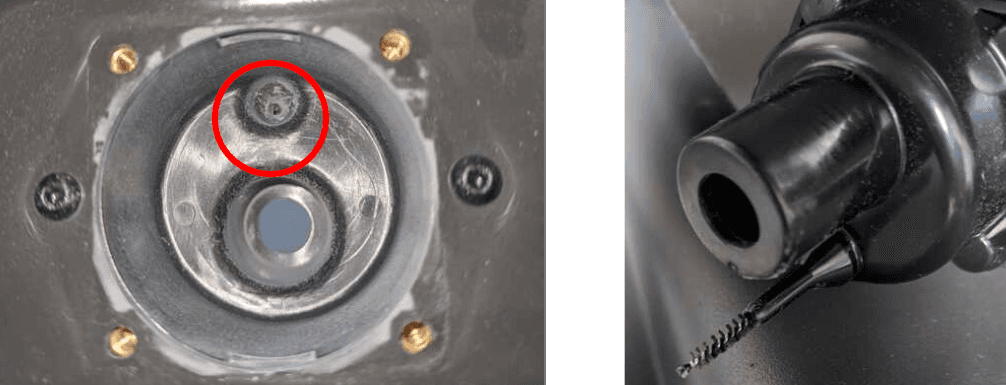
- Attempt another print. If melting occurs again, stop the print and contact Formlabs Support or your certified service provider.
Localized melting
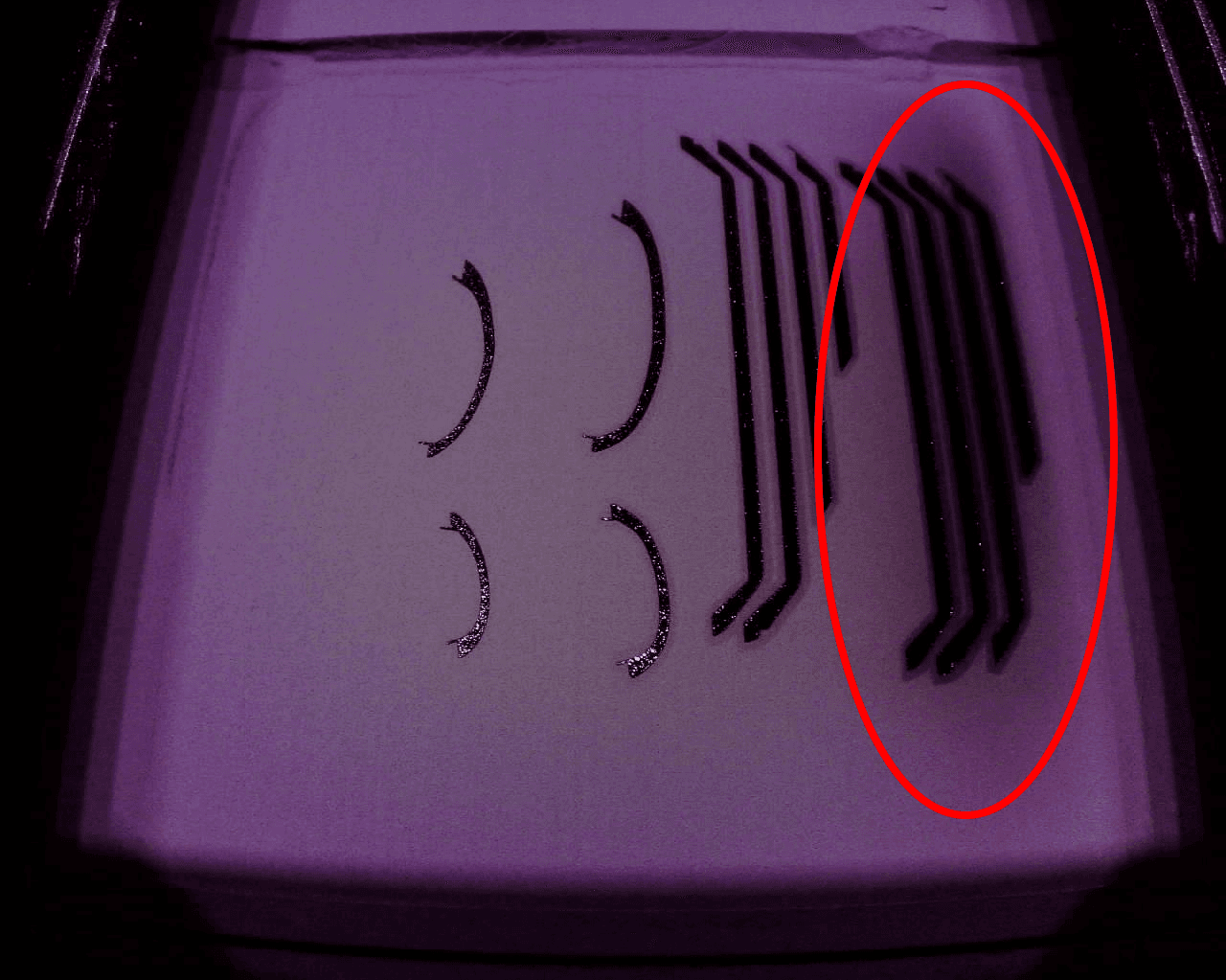
Determine what kind of localized melting issue occurred to inform the next steps.
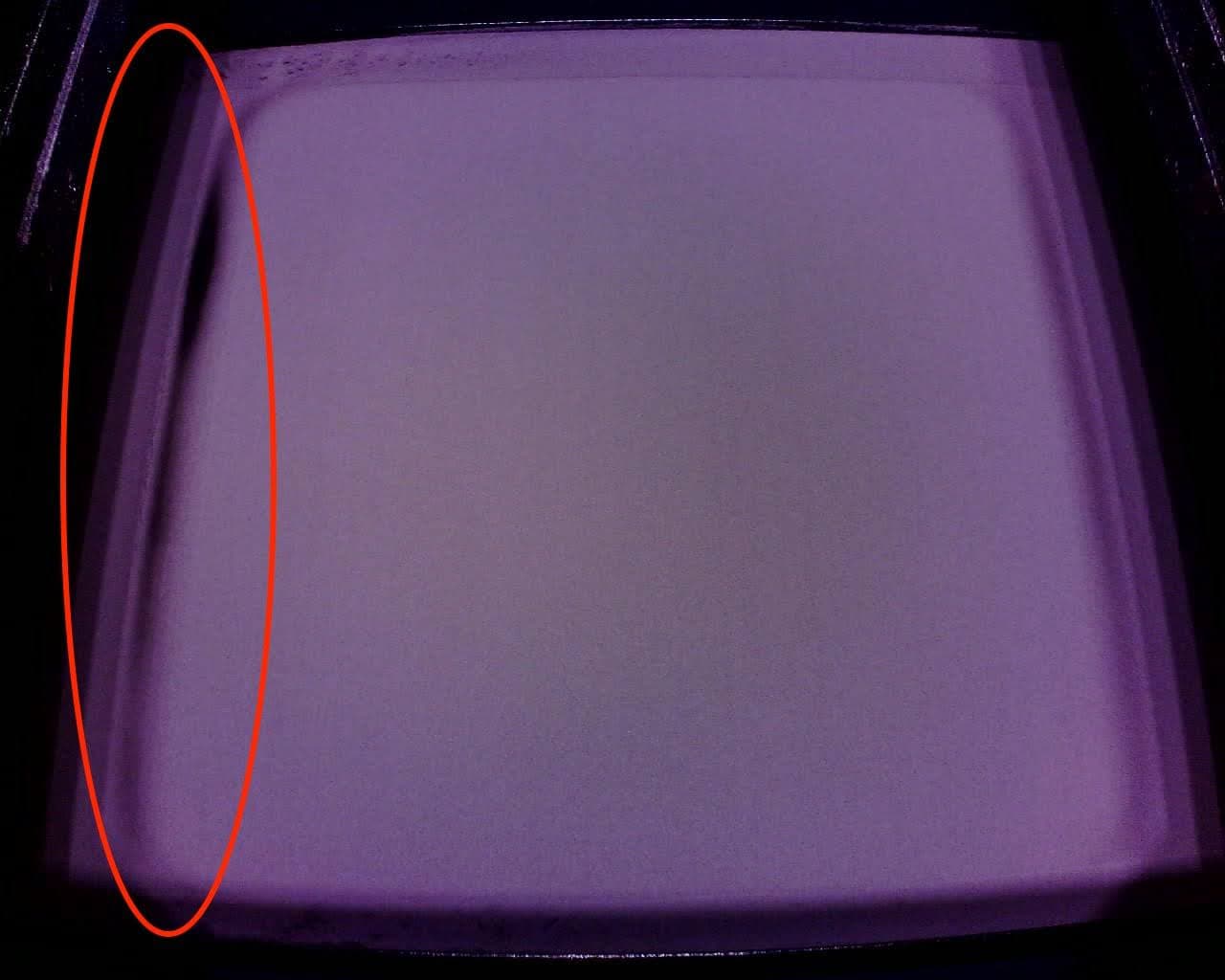
Melting on the buffer side
Melting on the hopper side
- If localized melting occurs on the buffer side, it indicates an issue with the hopper side quartz tube heater.
- If localized melting occurs on the hopper side, it indicates an issue with the buffer side quartz tube heater.
- Replace the buffer side quartz tube heater following the instructions in Replacing the Fuse 1 quartz tube heaters [EN] [DE] [ES] [FR] [IT] [JA] [ZH]. Replacement quartz tubes can be purchased from the Formlabs web store.
- If localized melting occurs in any area besides the buffer or hopper side, Contact Formlabs Support or your certified service provider to confirm the root cause. To speed up the resolution of your issue, follow best practices when opening a support case.
Perimeter melting
- Check the plug for any bent or sunken pins. If a pin sinks into the plug, gently pull on the pin with a pair of pliers. If the pin does not remain in place, the connector housing may be broken. Contact Formlabs Support or your certified service provider.
- 检查打印机成型室插座上的引脚。如果有任何损坏,请联系 Formlabs Support 或您的 认证服务提供商。
- 如果插针未损坏,使用压缩空气清洁成型室和打印机上的插针,确保插头完全插入并与打印机箱体齐平。
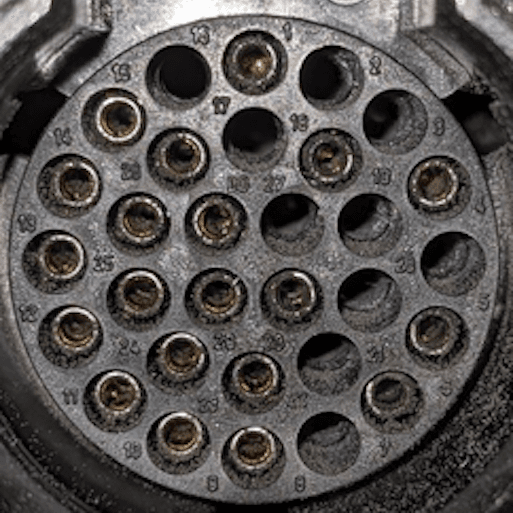
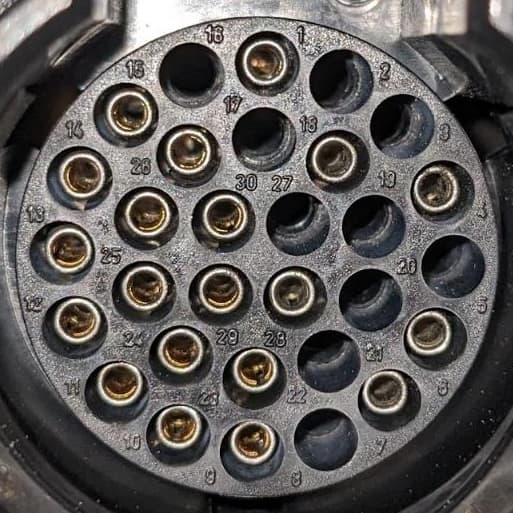
成型室插头插针脏污
清洁成型室插头插针
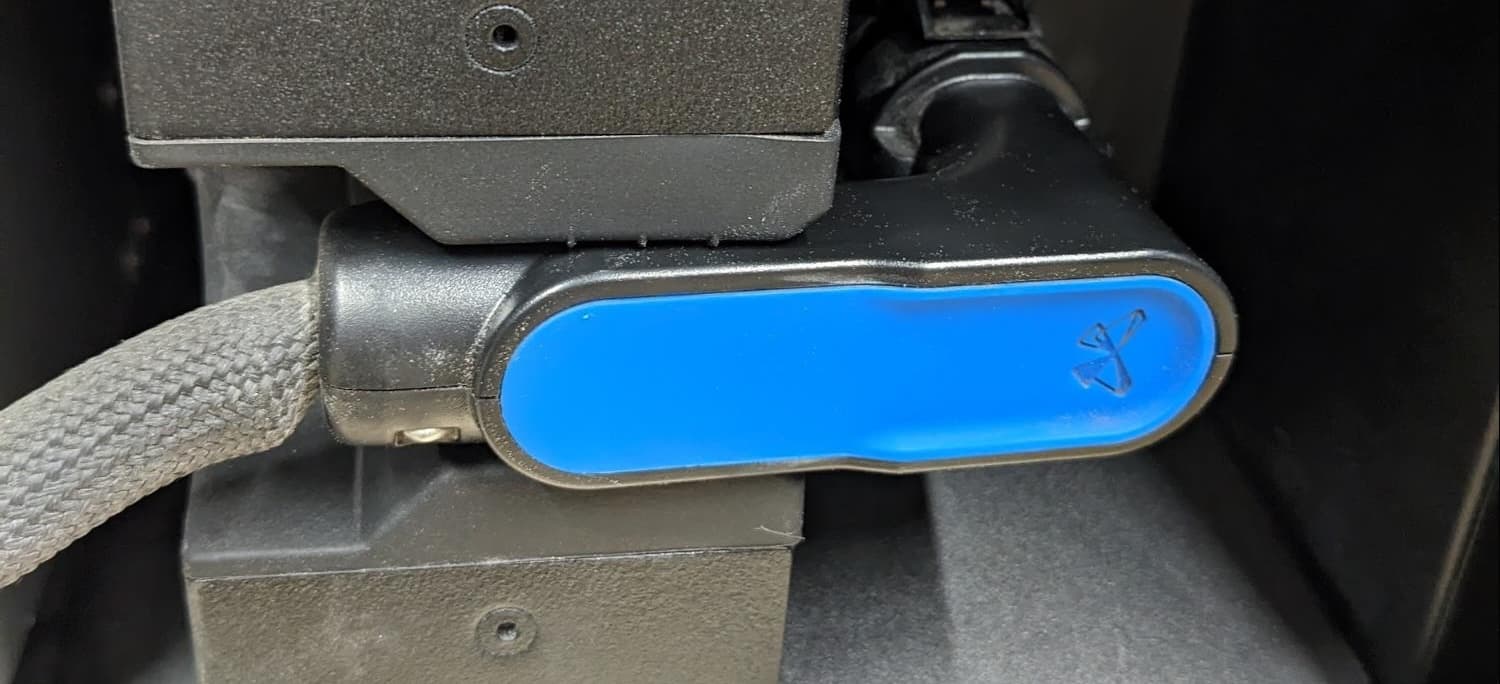
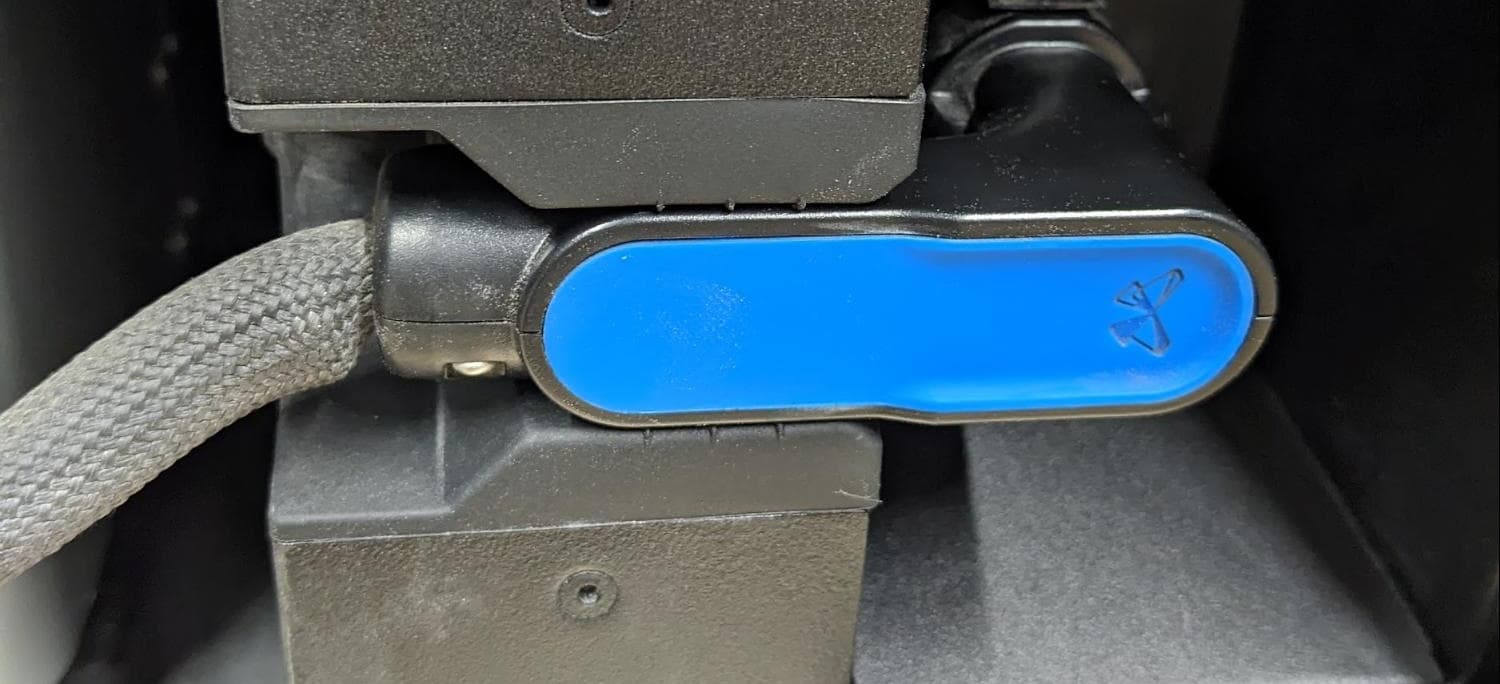
成型室插头安装不当
成型室插头完全就位
- 再尝试一次打印。
- 如果再次发生熔化,请停止打印并联系 Formlabs Support 或您的 认证服务提供商。