
Warning:
Read and understand all relevant safety instructions before using the Form 3/Form 3+.

This guide illustrates the printer’s various components, the initial setup, and how to begin printing. For additional information, consult the Form 3/Form 3+ manual and safety documentation.
Warning:
Read and understand all relevant safety instructions before using the Form 3/Form 3+.
打印机组件
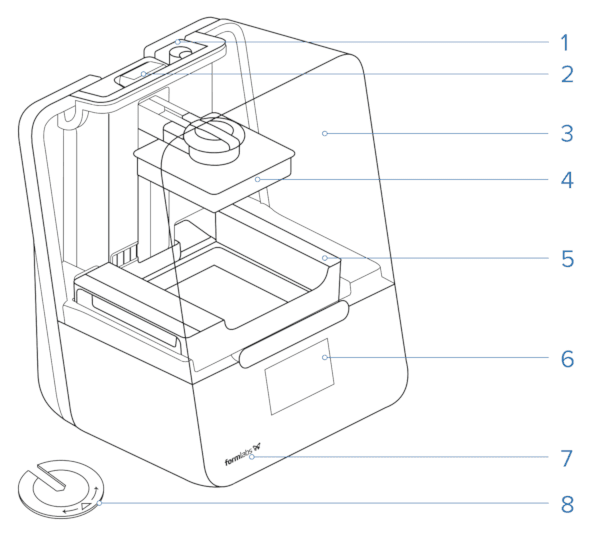
For additional information on printer components, refer to the support article: Product glossary (Form 3/Form 3+).
解锁
在运输过程中,插销将 Light Processing Unit (LPU) 固定在打印机内。
注意:
松开锁销之后再将打印机连接到电源。
将 LPU 箱从装运位置取出:
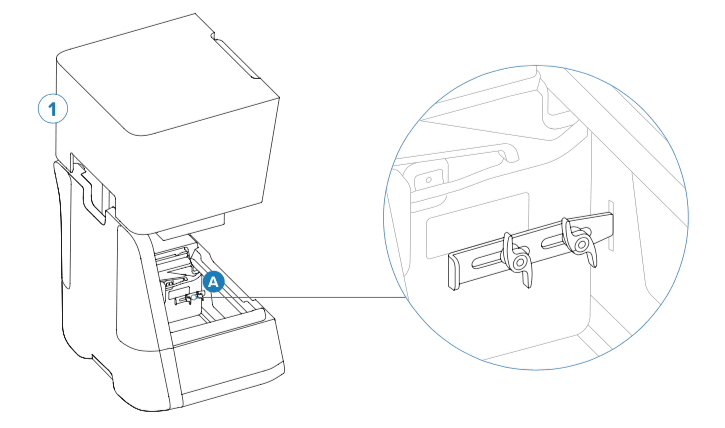
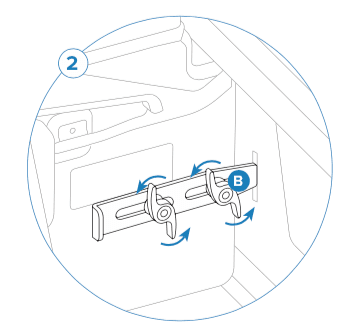
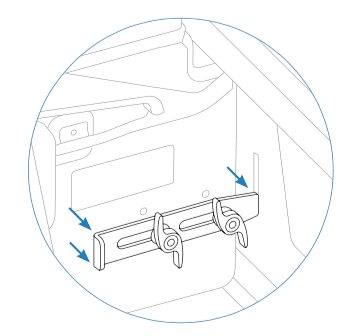
For additional information on removing the LPU latch, read our support article on receiving and unboxing the Form 3/Form 3+.
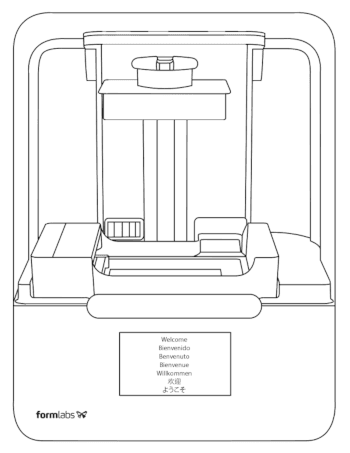
接通电源
将打印机放在水平表面上。用电源线将打印机连接到电源插座。
设置
按照触摸屏上的提示完成设置程序:
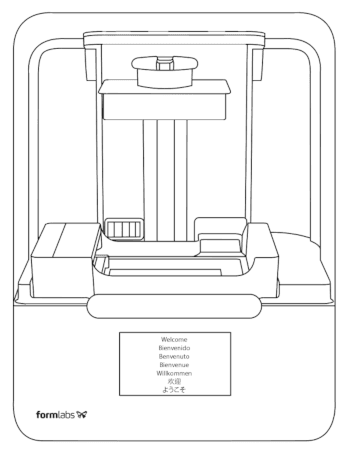
联系 Formlabs Support 或您的授权经销商,获取其他产品支持。
后续步骤
Once you’ve set up your Form 3/Form 3+, download PreForm to your computer and start printing.
Step 1: Prepare a file for printing
After downloading PreForm, read the support articles on designing successful 3D models and using PreForm to learn more about the software and preparing models for printing on Formlabs SLA printers.
If this is your first time using PreForm, an onboarding tutorial will appear and walk you through the software’s capabilities. Click Help > Show Onboarding Tutorial to review this information at any time.
When you’re ready, send your print to your Form 3/Form 3+ and start printing.
Step 2: Start a print
Step 3: Register your printer on Dashboard
Add your printer to Dashboard to track print progress, manage printers, and more. Read the support articles on using Dashboard to learn more.
Step 4: Finish your printed part
Once the print is complete, remove the build platform from the printer, wash any remaining liquid resin off your printed part, and post-cure and remove supports as necessary. Read the support article on SLA basic finishing steps to learn more.
Step 5: Between prints
Between prints, be sure to keep your Form 3/Form 3+ clean, paying particular attention to spilled resin. Handle the Form 3/Form 3+ resin tank with care to ensure print success and printer reliability.