
注:
如果打印机没有初始化并显示新手培训提示,请确保机罩已关闭。如果已关闭,请打开机罩,检查位于机罩底部边缘的两个圆形互锁磁铁。如果其中一块磁铁从机罩上脱落,则可能吸附在打印机外壳上或卡在其中一个树脂槽锁销下方。用粘合剂将磁铁粘附在机罩上,晾干后关闭机罩即可继续使用。

开机
使用电源线连接打印机和电源。打开打印机背面左侧的电源开关。
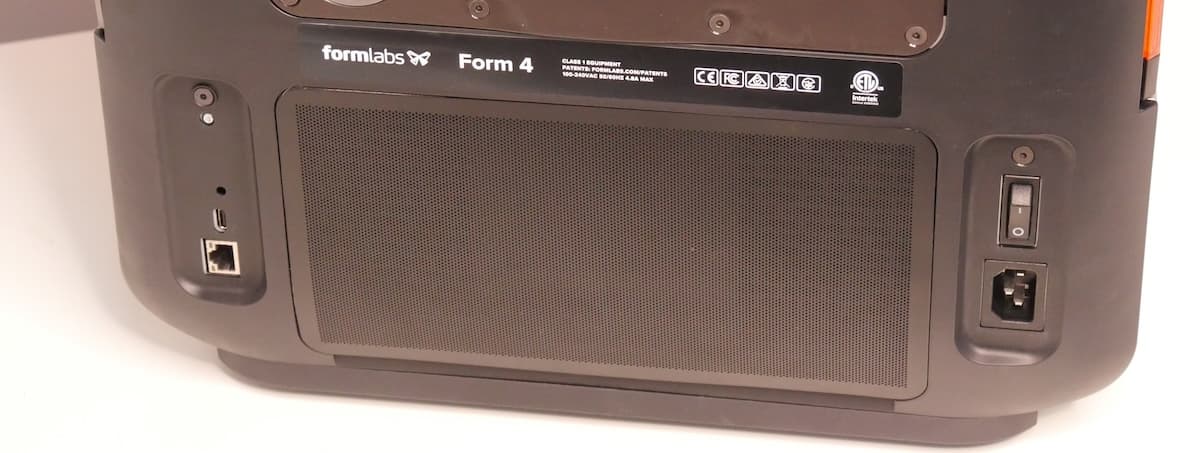
首次连接打印机到电源时,打印机将在触摸屏上显示一系列新手培训步骤。新手培训步骤包括将耗材(树脂槽、混合器、树脂盒和构建平台)插入打印机的说明。请遵循以下步骤准备打印机以供使用。
注:
如果打印机没有初始化并显示新手培训提示,请确保机罩已关闭。如果已关闭,请打开机罩,检查位于机罩底部边缘的两个圆形互锁磁铁。如果其中一块磁铁从机罩上脱落,则可能吸附在打印机外壳上或卡在其中一个树脂槽锁销下方。用粘合剂将磁铁粘附在机罩上,晾干后关闭机罩即可继续使用。
插入树脂槽和混合器
警告:
树脂可能引起皮肤刺激或皮肤过敏反应。处理液态树脂或树脂涂层表面时,请戴上手套。用大量肥皂和水冲洗皮肤。
The resin tank is the primary container for holding resin after it is dispensed from the cartridge. Resin is cured onto the build platform when light passes through the tank's bottom film during printing.
The resin mixer improves print consistency by evenly mixing the resin and checking for debris.
安装构建平台
The build platform is the surface that each part prints onto. To insert the build platform:
插入树脂盒
The resin cartridge stores resin to be dispensed into the resin tank. To prepare the resin cartridge:
注意:
请勿取下树脂盒底部的橡胶咬阀或用锐器戳它。该咬阀控制树脂的释放。若取下橡胶咬阀,树脂会不断地从树脂盒中流出来,并流进机器中,会对机器造成严重的损坏。这种损坏不在保修范围内。
Printing with the Form 4
现在打印机已设置完毕:
Setting up the Form 4B
Form 4B 是一款牙科和医疗专用 3D 打印机,经验证可打印 Formlabs 材料库中 14 种以上的生物相容性应用材料。
首次设置打印机时,需要将 Form 4B 打印机临时连接到互联网。在与互联网连接时,打印机可快速、安全地注册 Formlabs 生物相容性材料终身许可证。此配置为一次性,即使对机器恢复出厂设置,仍会在打印机的使用寿命内保存。
Form 4B 打印机还可使用 Open Material Mode(开放材料模式)。如果您的打印机在 2026 年 8 月 17 日之前发货,您会收到一个单独的激活码,用于在打印机触摸屏上输入并启用 Open Material Mode(开放材料模式)。如果您的打印机是在 2026 年 8 月 17 日或之后发货的,则在连接打印机到互联网时,将同时激活 Open Material Mode 和生物相容性材料的永久许可证。
Notice:
Form 4B printers are not able to print with Formlabs materials for biocompatible applications until they have been temporarily connected to the internet.
The first time the printer is connected to power, it displays a series of onboarding steps on the touchscreen. The onboarding steps include instructions for inserting consumables (resin tank, mixer, resin cartridge, and build platform) into the printer. Follow these steps, as detailed above, to prepare the printer for use.
Checking if your Form 4B is set up correctly
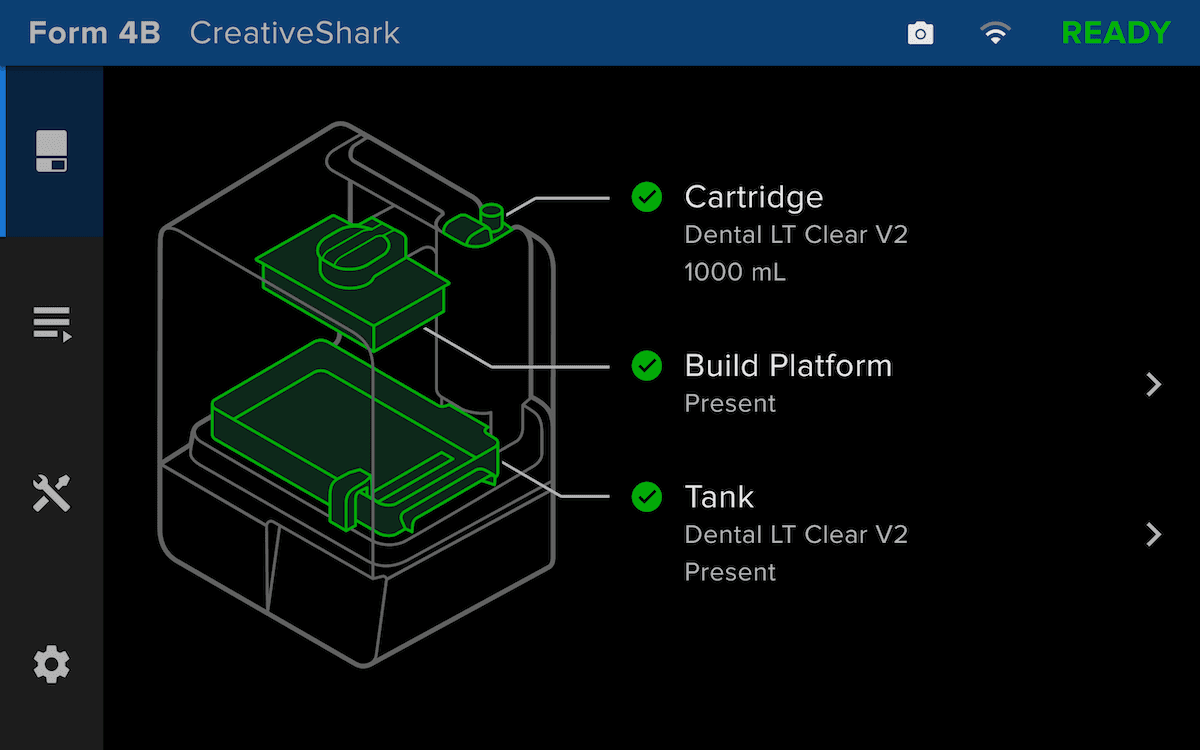
When a Form 4B printer is set up correctly, the status bar on top of the printer touch screen will be blue and say Form 4B.
Troubleshooting Form 4B setup
If you purchased a Form 4B printer but cannot print with a Formlabs material for biocompatible applications, please try the following troubleshooting steps.