白皮书
Formlabs Logo

支撑 Form Wash L V2 叶轮马达

支撑 Form Wash L V2 叶轮马达

The Form Wash L contains two impellers to agitate the solvent in the wash bucket and help clean printed parts. The impellers are magnetically coupled to motors sitting below the wash bucket. In some Form Wash L V2 units, the impellers can have difficulty moving through the solvent. The impellers may be unable to turn or the machine may make unusual noises as the impellers repeatedly uncouple from and recouple to the motors.

Use this guide to add support to the impeller motors on a Form Wash L V2.

所需物品:

所需物品:

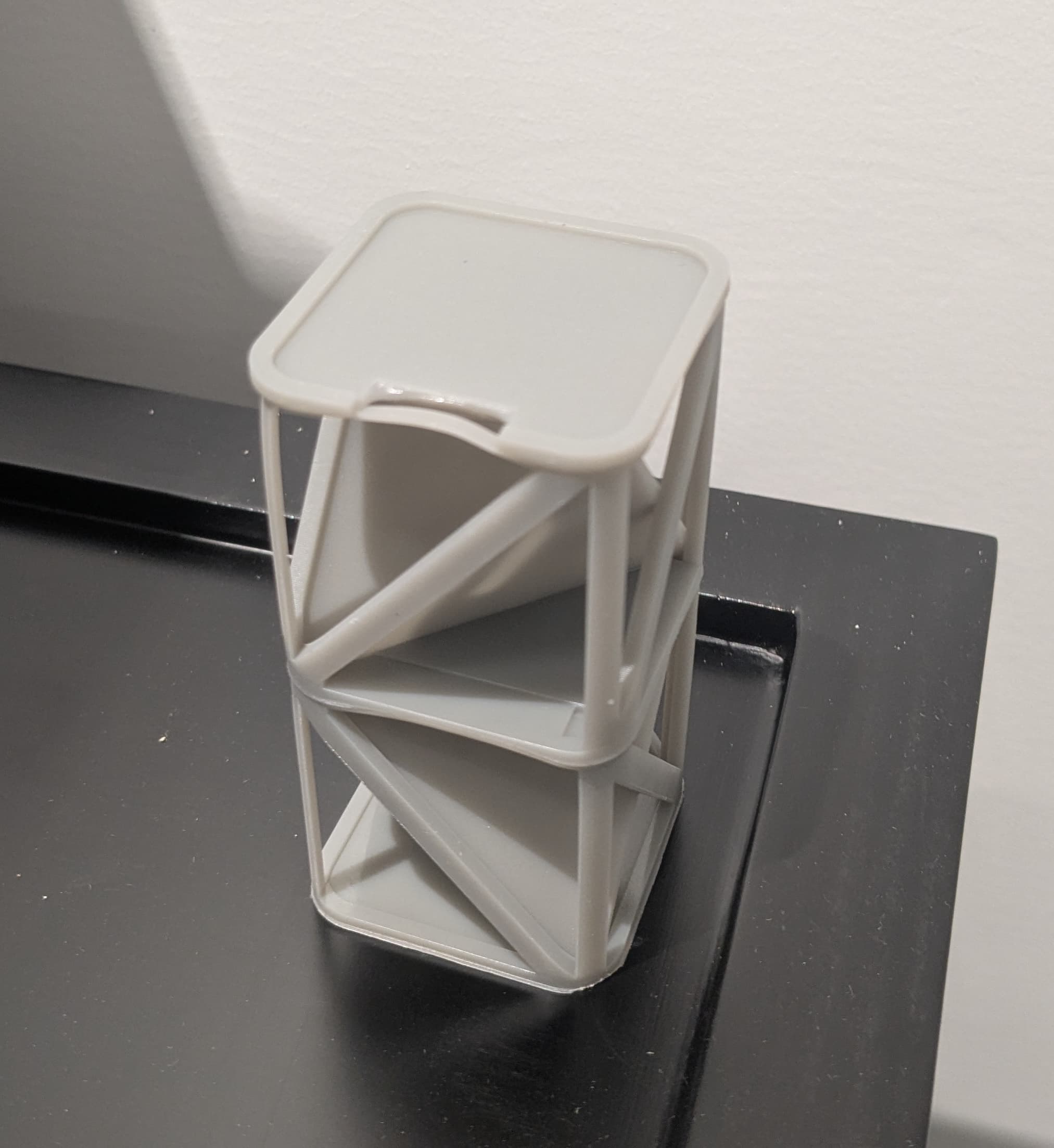
  • Form Wash L V2 叶轮马达垫片(2 个)
    • 请提前使用任意非柔性树脂进行打印,如 Grey Resin、Tough 1500 Resin 或 Rigid 10K Resin。直接在构建平台上打印而无需支撑。请勿使用 Elastic 50A Resin、Flexible 80A Resin 或其他具有类似材料性能的树脂。
  • 2.5mm 六角扳手
  • 43L 新溶剂(IPA、TPM 或 Formlabs Resin Washing Solution)
  • 电动虹吸泵,随 Form Wash L 提供
  • 空容器,适合存放最多 43L 溶剂
  • 非反应性丁腈手套
  • 护目镜

预计所需时间: 20-30 分钟,外加打印马达垫片的时间

准备工作区

概览: 准备好 Form Wash L 和无尘的工作区,以便为叶轮马达添加支撑。

小心:

在处理与溶剂或液态树脂接触的部件和表面时,请戴上手套。

第 1 步:打印叶轮马达垫片

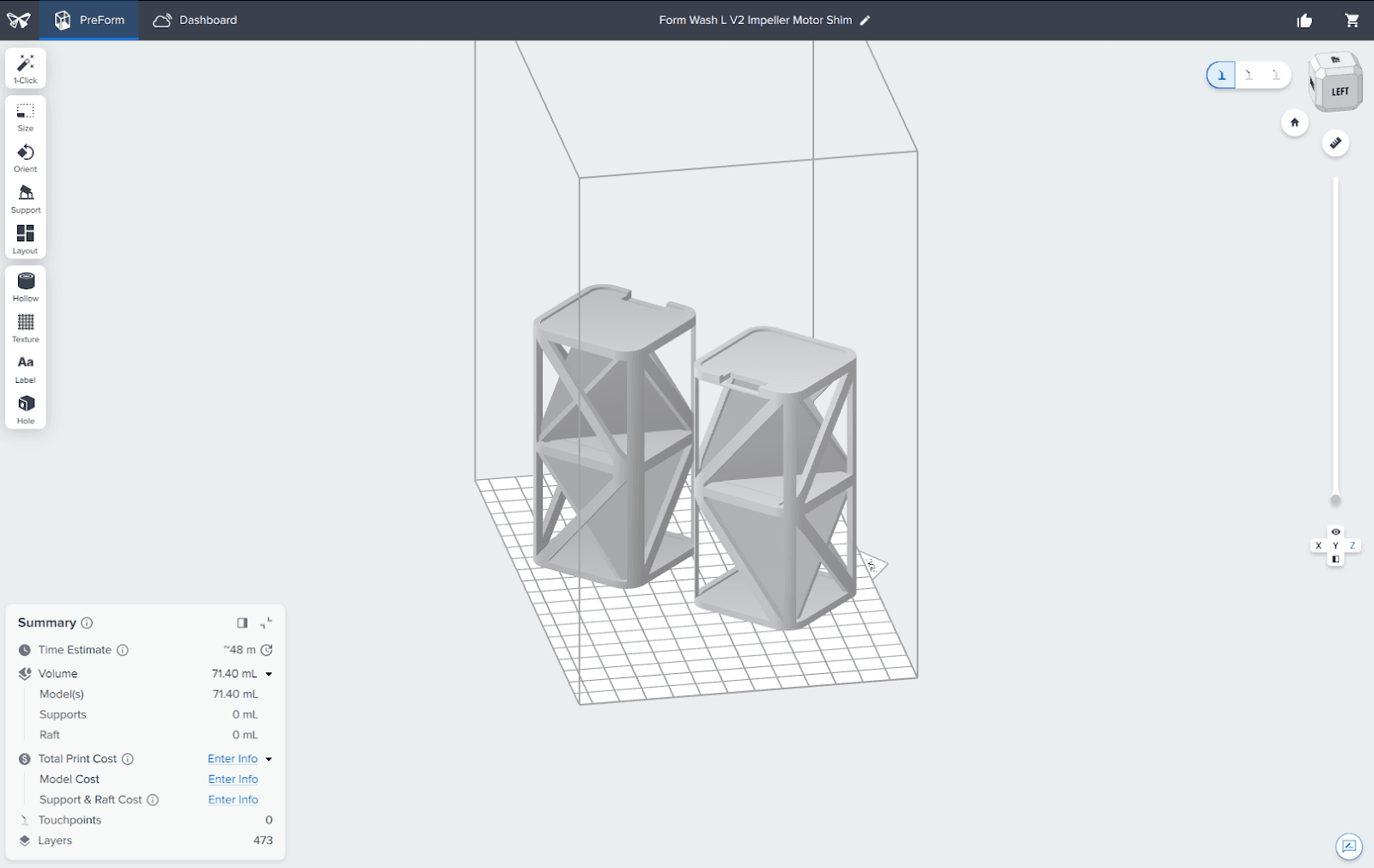
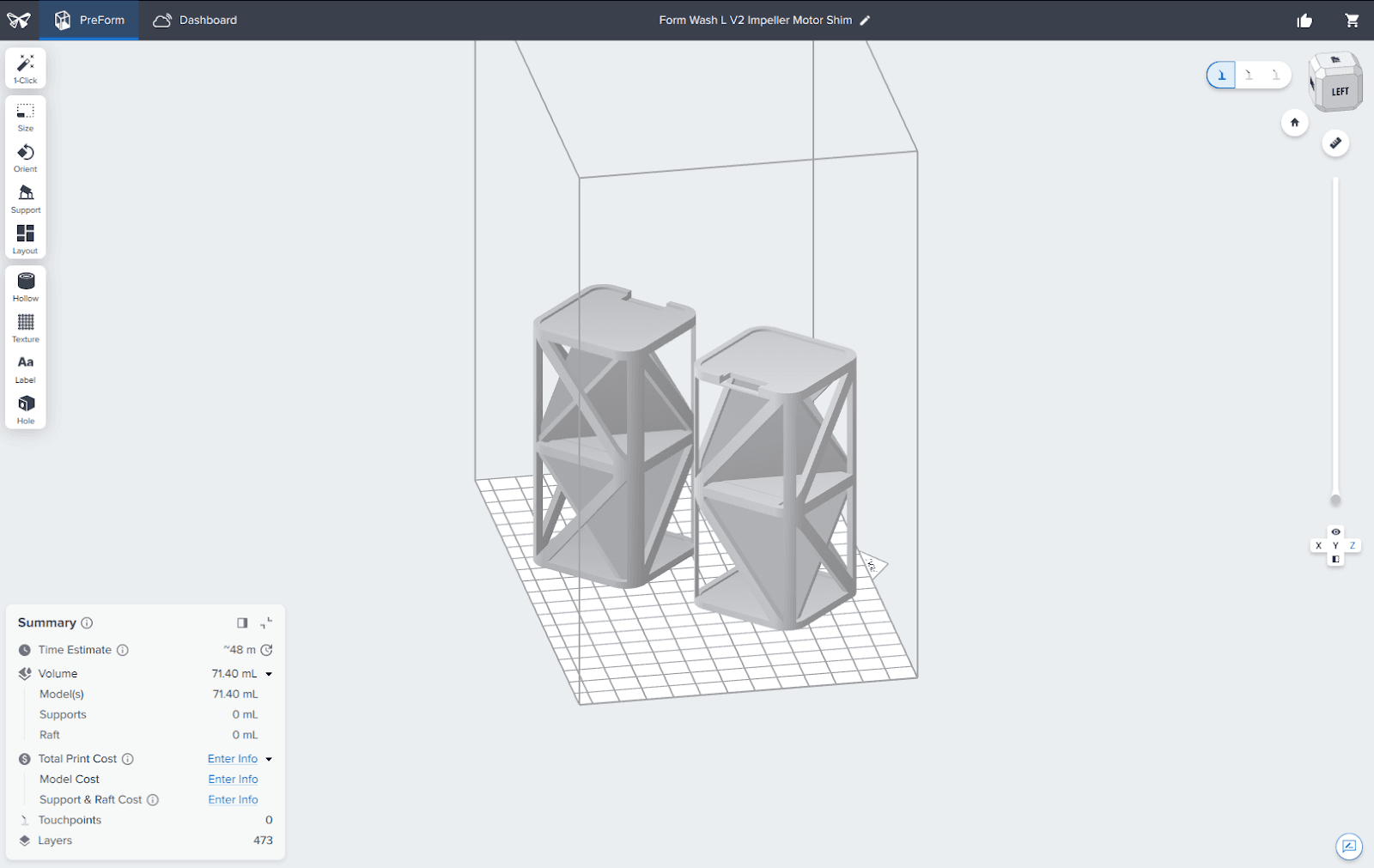
使用 Grey Resin、Tough 1500 Resin 或 Rigid 10K Resin 等任意刚性树脂打印两个叶轮马达垫片

。直接在构建平台上打印而无需支撑。请勿使用 Elastic 50A Resin、Elastic 80A Resin 或其他具有类似材料性能的树脂。根据所用材料的要求,适当清洗部件并进行后固化。

PreForm 中的 Form Wash L V2 叶轮马达垫片模型

Step 2: Unplug the machine

Disconnect the power cable before continuing with maintenance. Do not perform maintenance on the machine while it is connected to power. Wait five minutes after disconnecting the machine from power before proceeding.

危险:

在机器通电时进行维护 会增加触电风险。在机器通电时, 切勿拆卸机器面板。在尚未安装面板的情况下, 切勿重新接通机器电源。

拆卸下部前面板

概览: 拆卸下部前面板,以便操作叶轮马达。

注意:

Form Wash L 含有敏感电子元件。在接触机器中的任何电子元件之前,请先使用一条接地带或与一块接地的金属相接触,以确保自己的肢体良好接地。

第 1 步:打开前面板

从右侧拉出前面板。保持其打开状态,以便操作溶剂监测器和清洗桶。

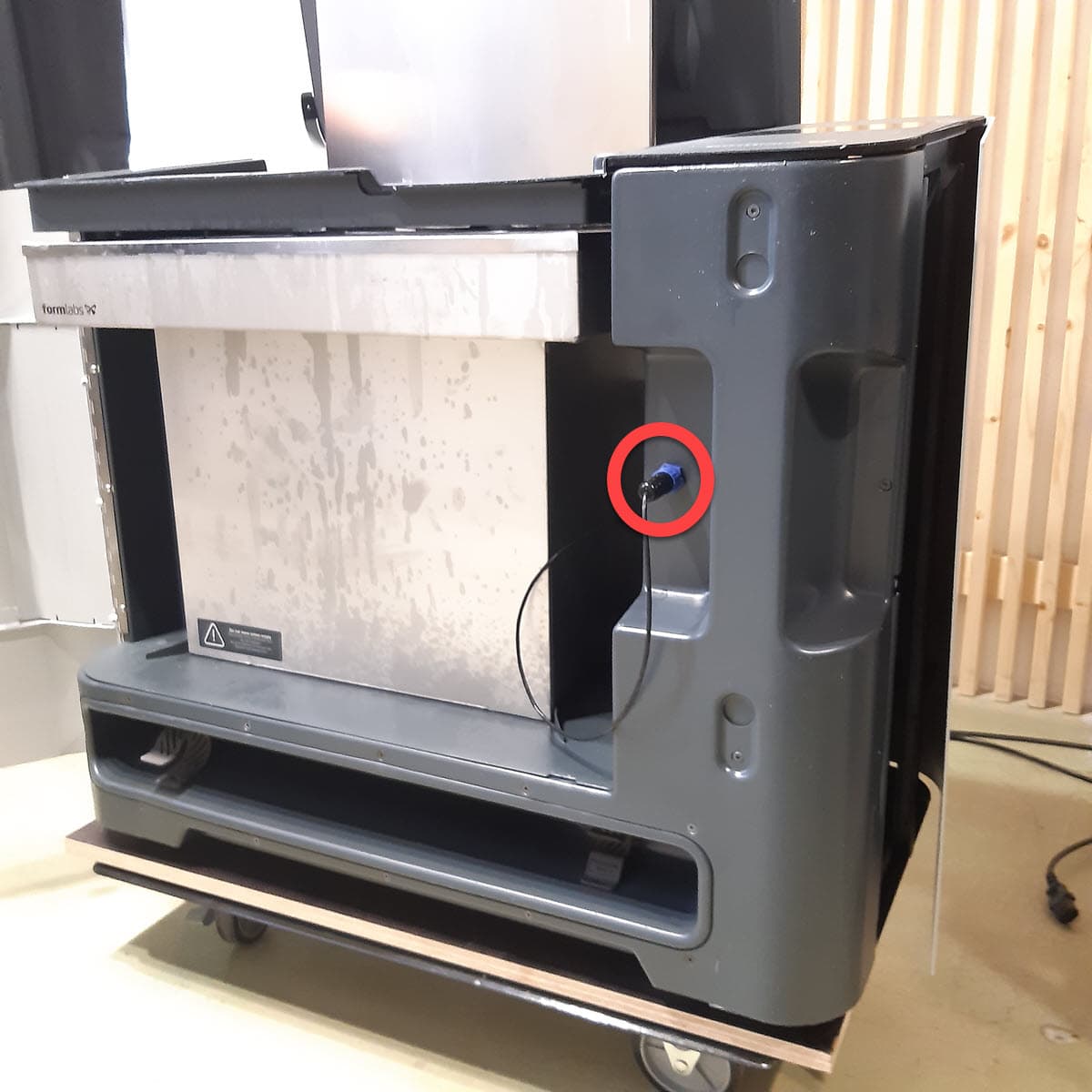
第 2 步:拔掉溶剂监测器的插头

从 Form Wash L 的前部断开溶剂监测器的连接。

第 2 步:拔掉溶剂监测器的插头

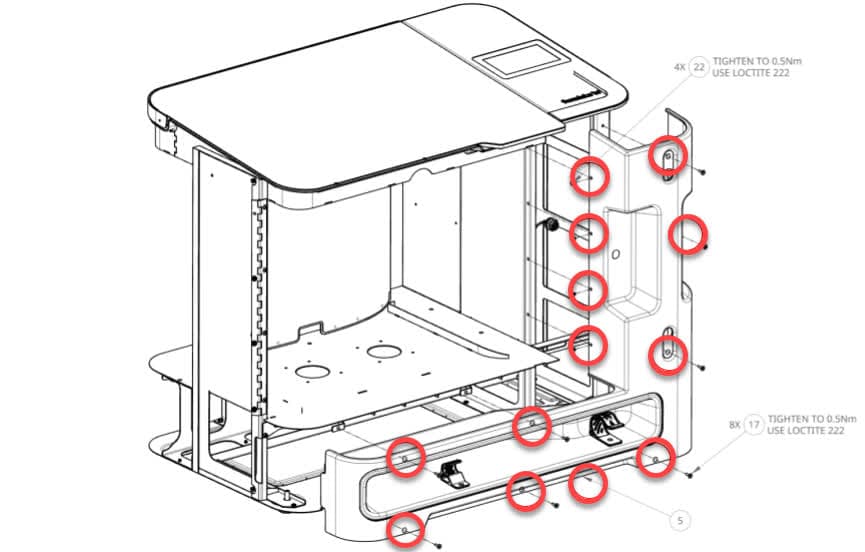
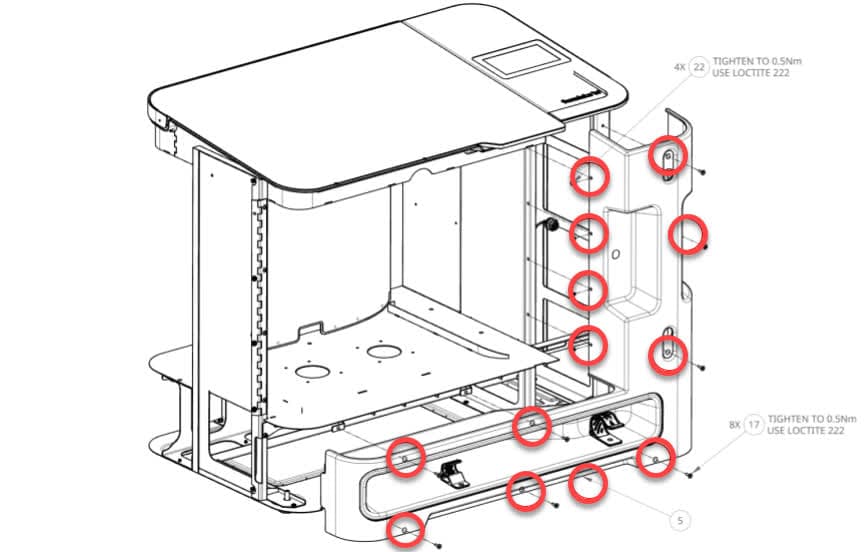
第 3 步:拧下下部前面板螺丝

第 6 步:拆卸下部前面板

使用 2.5mm 六角扳手拧下上图所示的 12 颗螺丝。将螺丝放在一旁。

将面板稍微向自己方向拉,直到可以看到面板后面的溶剂监测器电缆。请勿完全拆卸面板,因为面板仍通过电缆与主板相连。

第 4 步:拔掉溶剂监测器电缆

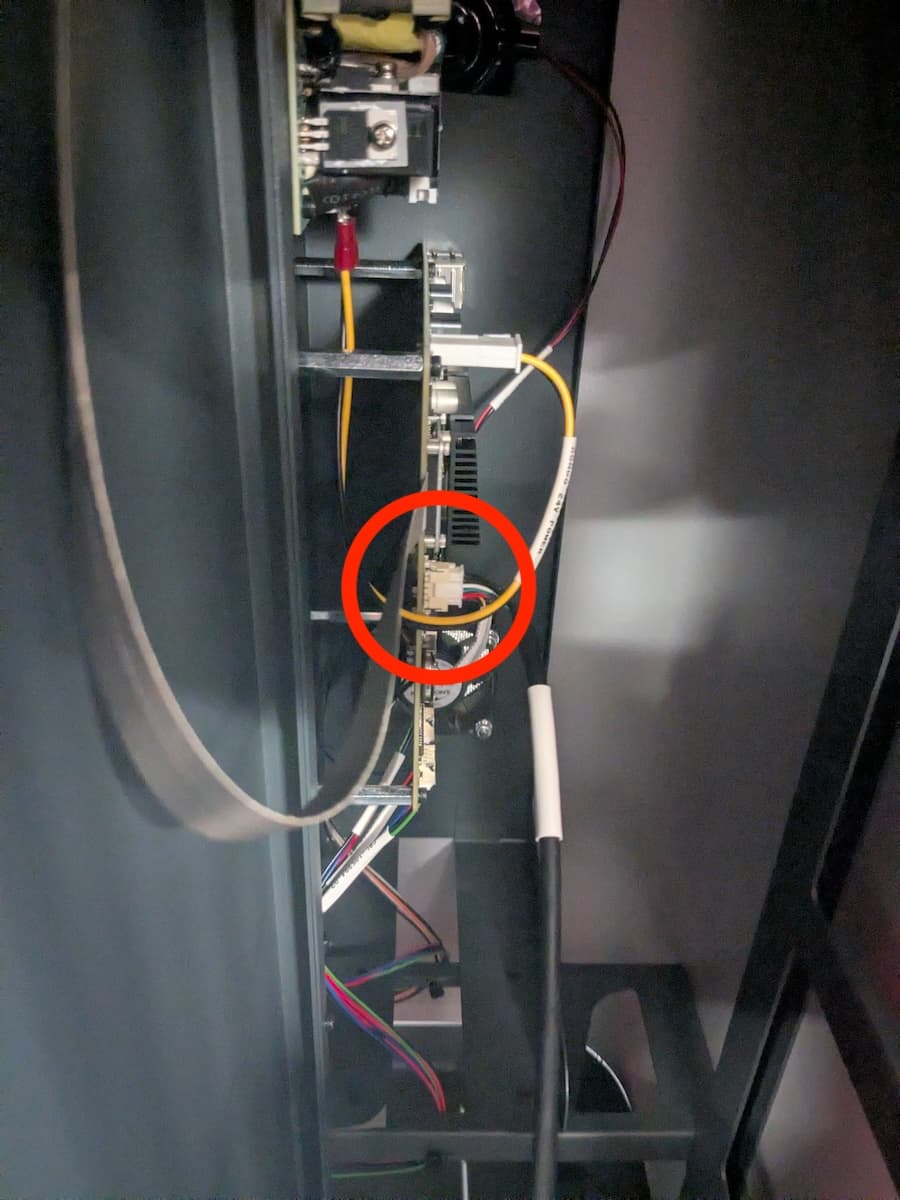
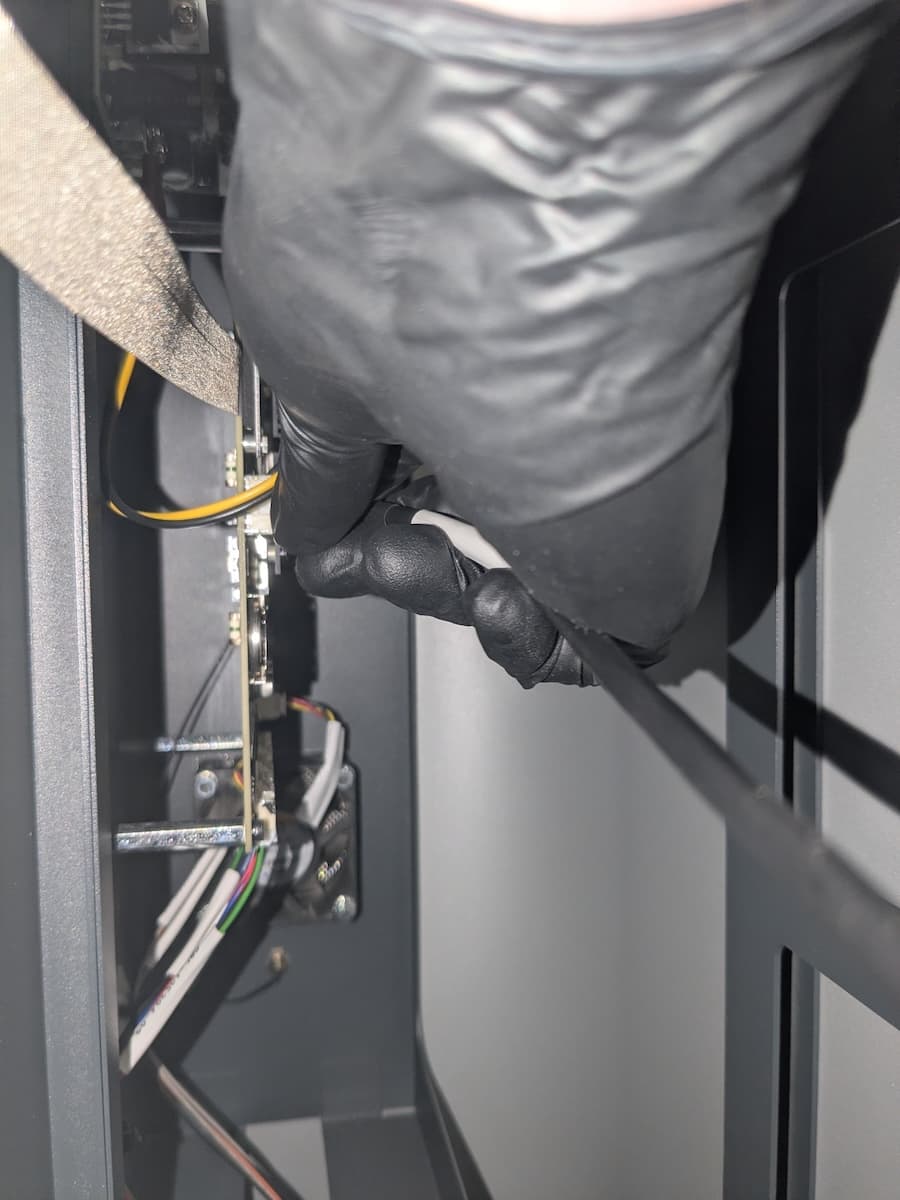
从主板上断开溶剂监测器电缆
从主板上断开溶剂监测器电缆

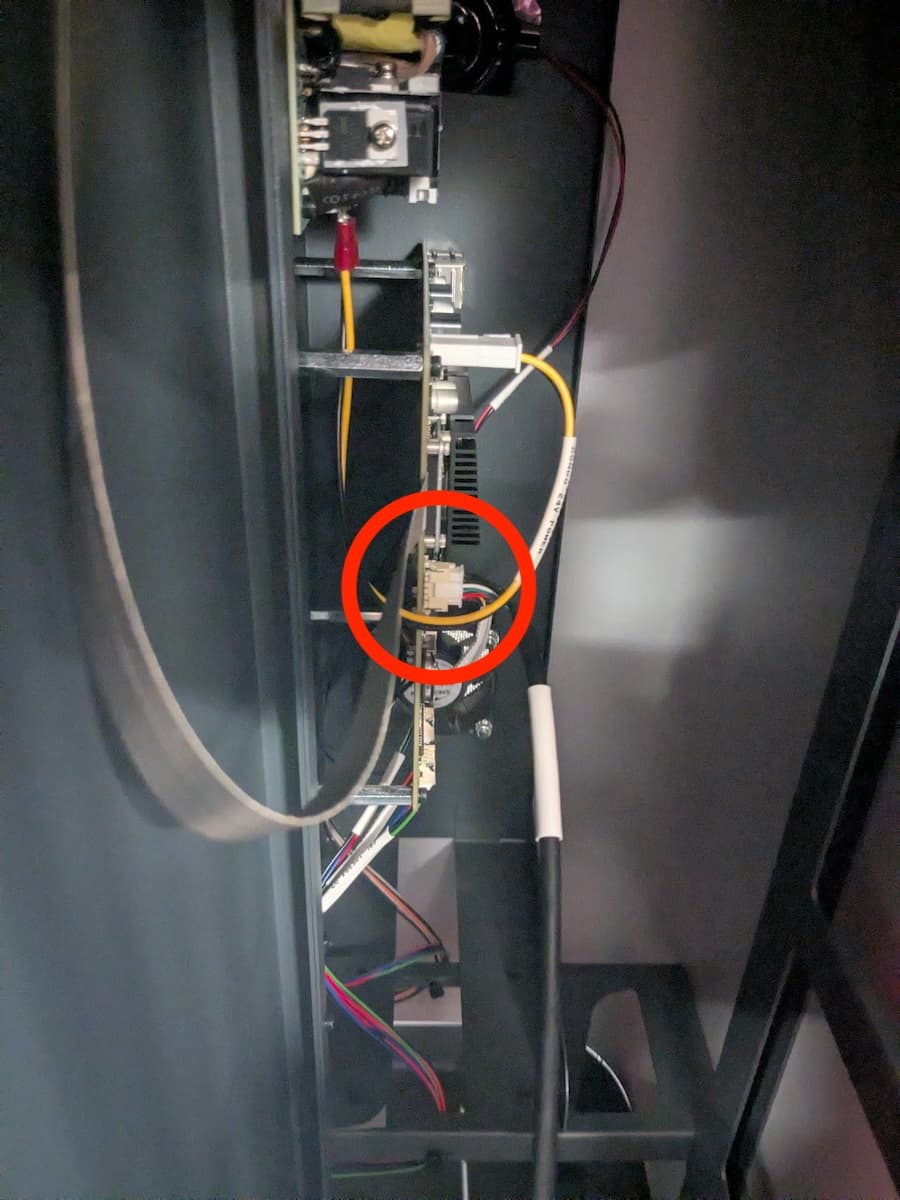
从下部前面板跟随溶剂监测器电缆进入 Form Wash L,在主板前缘找到其连接器。挤压连接器上的锁扣,将其从主板上拉开,以断开电缆连接。请勿拉动电线本身。

第 5 步:拆卸下部前面板

小心地将下部前面板从机器上拉开,放在一旁。

安装叶轮马达垫片

概览:在叶轮马达下方安装叶轮马达垫片。

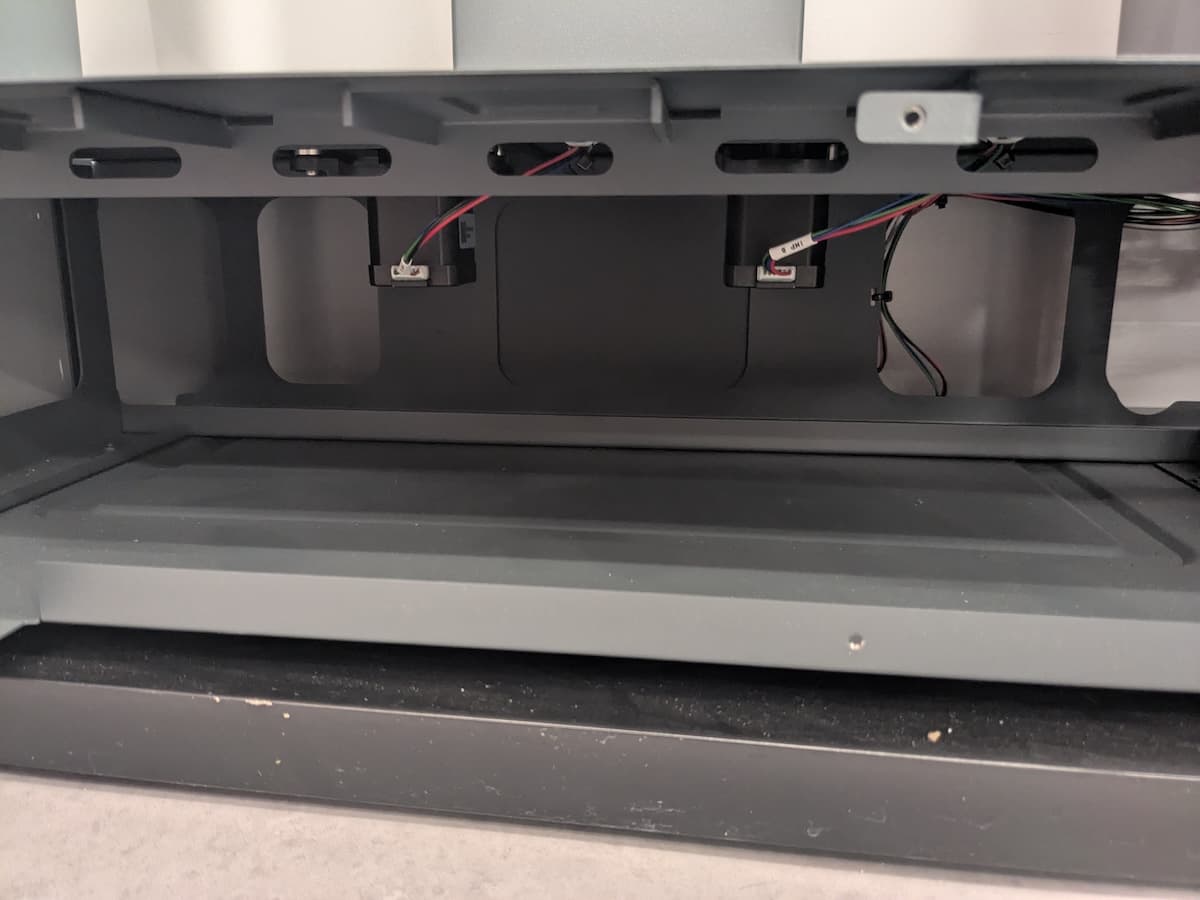
第 1 步:找到马达组件

Form Wash L 配备有两个叶轮马达组件,位于机器底板的下方。识别并找到马达。

Form Wash L 马达组件

第 2 步:安装马达垫片

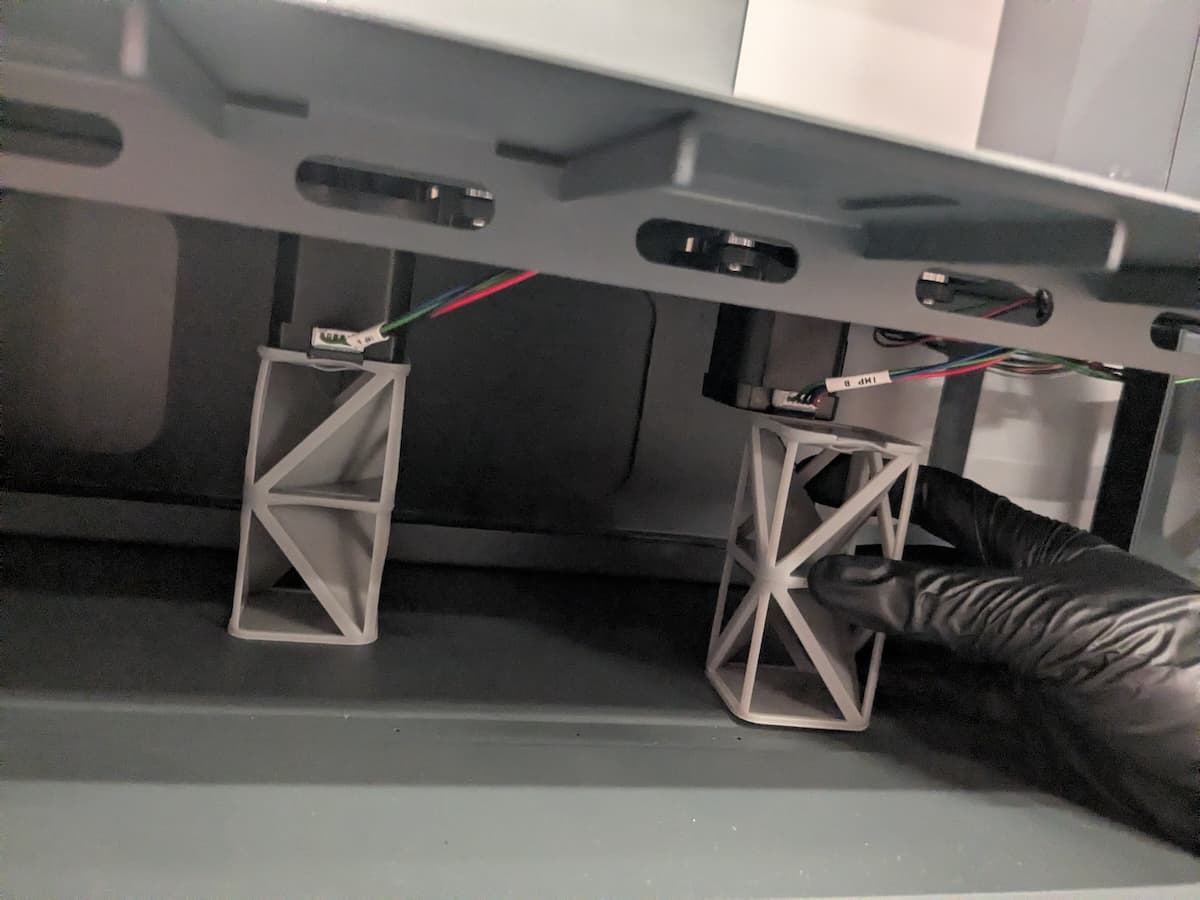
安装 Form Wash L V2 叶轮马达垫片

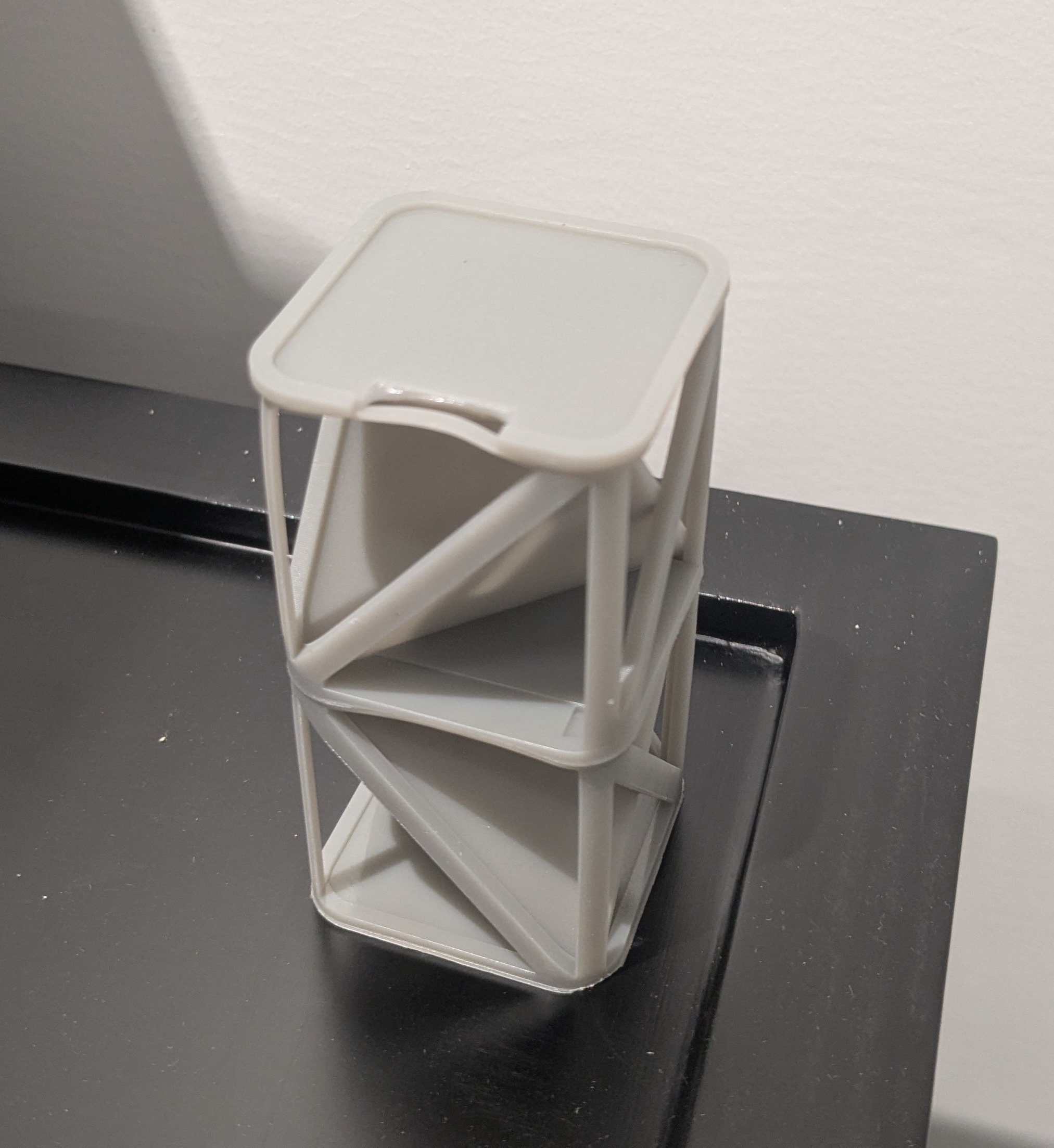
将马达垫片的小槽口朝向顶部前方。槽口为马达电缆提供了间隙。将垫片滑入马达下方,直至卡入到位,垫片的凸缘位于马达边缘。

重新安装下部前面板

概览: 将溶剂监测器电缆和下部前面板重新安装到 Form Wash L 上。

第 1 步:对齐下部前面板

将下部前面板靠近机器前部,以便溶剂监测器电缆能够连接到主板。

第 2 步:重新连接溶剂监测器电缆

将溶剂监测器电缆重新连接到主板上的插座。连接器只能以一个方向插入插座。电缆固定到位后,锁定插片会发出咔哒声。

第 3 步:重新连接溶剂监测器电缆

第 3 步:重新安装下部前面板

重新安装下部前面板

将下部前面板滑入到位。将一根 2.5mm 六角螺丝拧入下部前面板的 12 个螺孔中。拧紧螺丝 使用 2.5mm 六角 将螺丝拧紧

第 4 步:重新连接溶剂监测器

将清洗桶的溶剂监测器电缆插入前面板上的插座中。

完成修复

Overview: After installing the impeller motor shims, power on the machine and perform final checks.

Step 1: Power on the machine

Connect the power cable to the Form Wash L and the power supply. Flip the breaker switch on the back of the unit to the ON position to turn on the machine.

Step 2: Test the repair

Start a wash cycle. The impellers should rotate properly if the repair was successful. If they do not, continue.

Step 3: Enlarge and reprint the shims (optional)

Depending on the manufacturing and assembly tolerances of your machine, the shims may still allow sufficient flexing for the impellers to decouple from the motors. If that is the case, reopen the provided shim file in PreForm. Click the Size tool and increase the Z dimension of both models by 3 mm. Print the rescaled shims, install them, and test the machine.

If the issue persists, increase the Z dimension by an additional 3 mm. If the impeller decoupling issue persists with +6 mm shims, contact Formlabs Support.

放大马达垫片