
Notice:
Remove the parts from IPA or other solvent immediately after the washing cycle is completed to avoid damage to or degradation of the printed part.

The Form Studio Wash+Cure is a stereolithography (SLA) print cleaner and post-cure chamber. Washing printed SLA parts removes excess uncured liquid resin. Post-curing printed parts in the Form Studio Wash+Cure strengthens them with 405 nm light and brings them to their optimal mechanical properties.
开始打印前
Before inserting a printed part into the Form Studio Wash+Cure:
Form Studio Wash+Cure controls
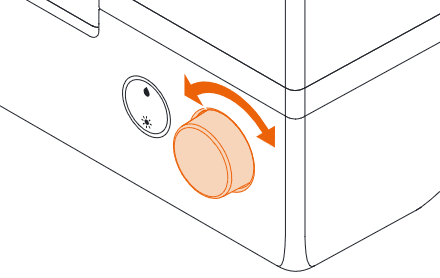
When connected to power, use the knob and button to program and operate the Form Studio Wash+Cure:
Washing printed parts
When an SLA 3D print finishes, the printed parts are still coated in liquid resin. They must be washed in a solvent to clean off this liquid resin and prepare the parts for post-curing and other post-processing. The Form Studio Wash+Cure helps ensure consistent thorough washing by agitating the wash solvent with an impeller.
Inserting prints
To wash a printed part:
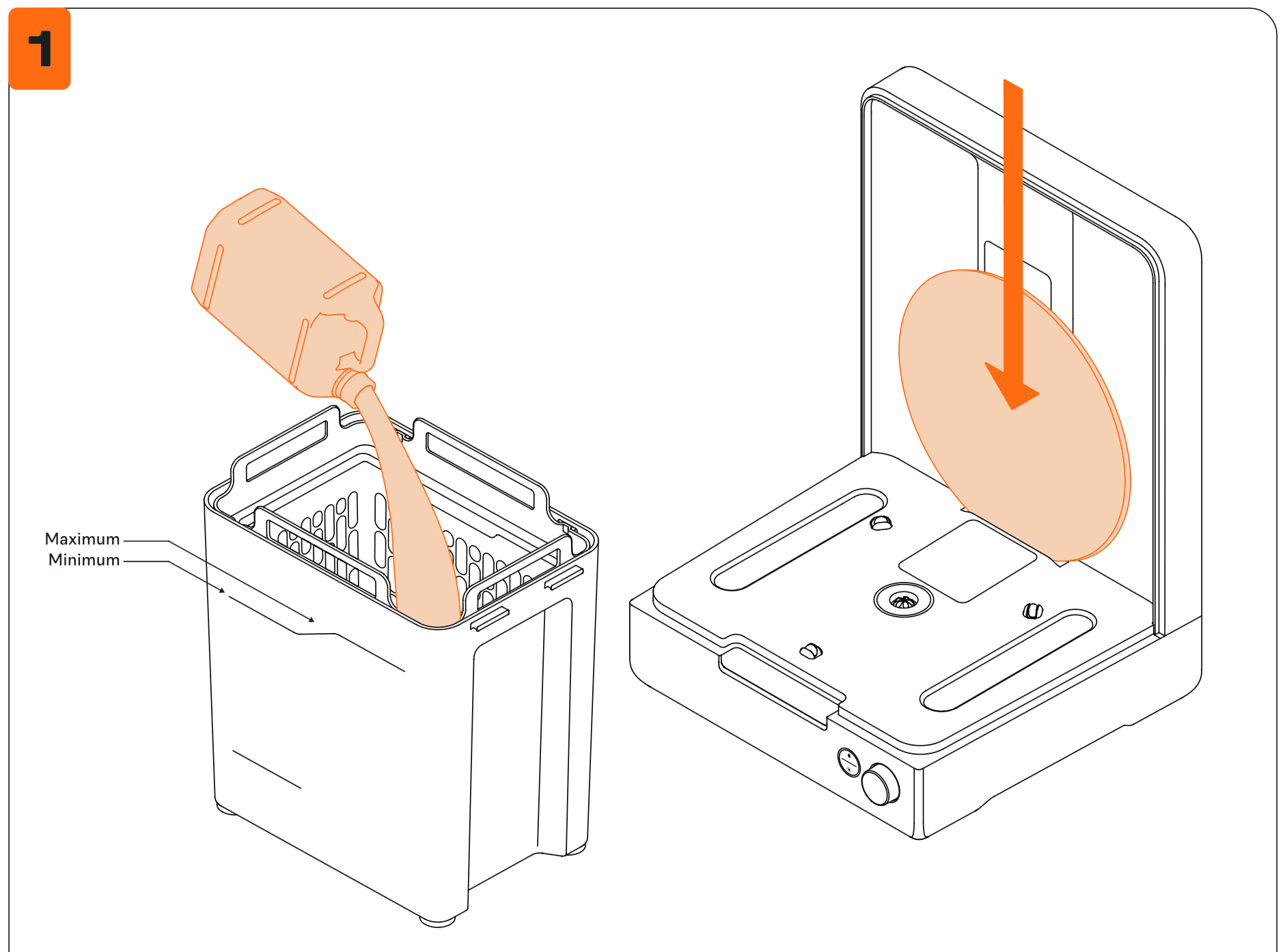
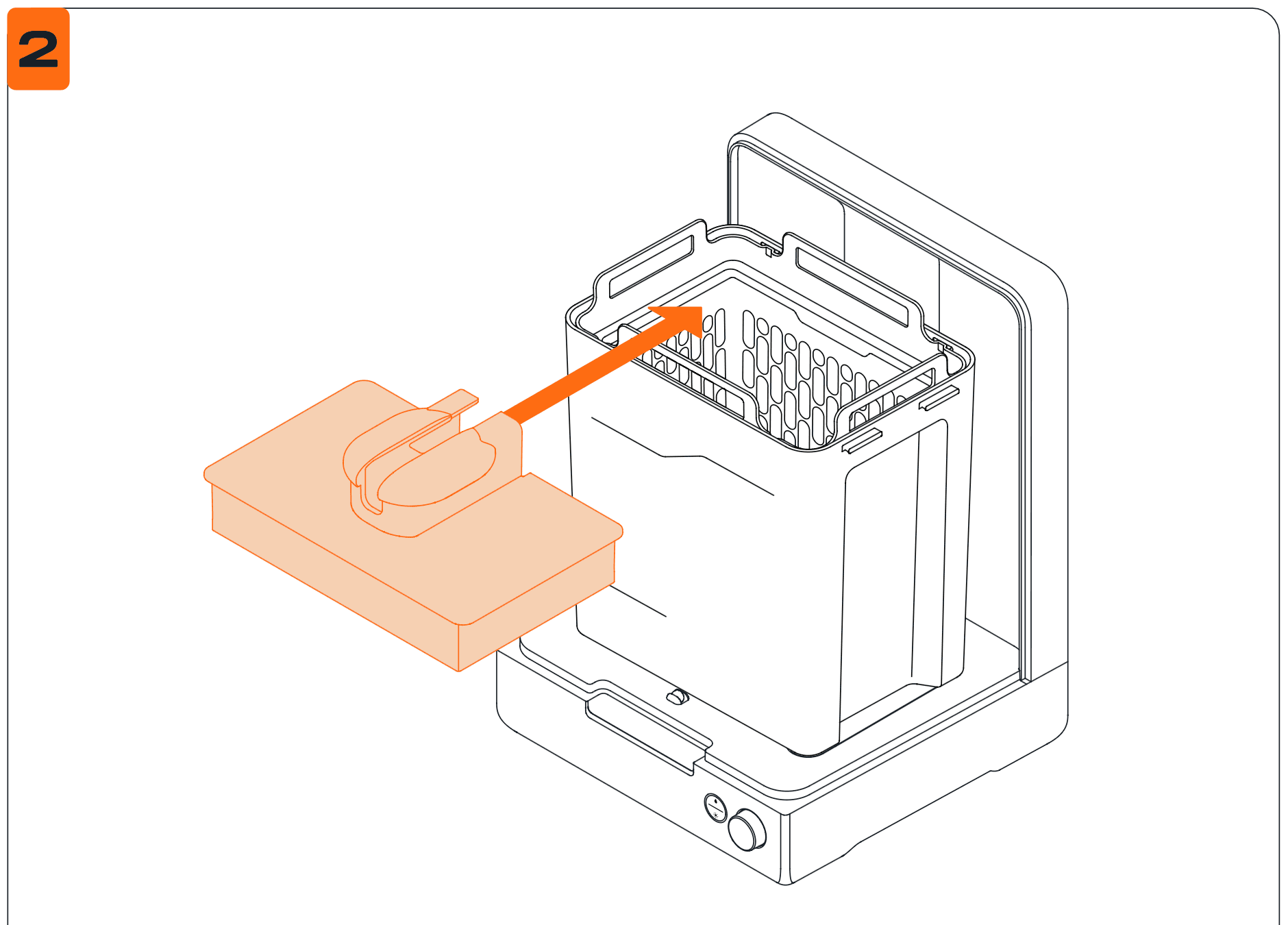
Parts must be washed on the build platform or in the basket. Ensure parts are fully secured to the build platform when washing parts without the basket installed. Washing loose parts directly in the wash bucket—whether intentionally or accidentally—may damage printed parts, create noise, and interfere with solvent agitation.
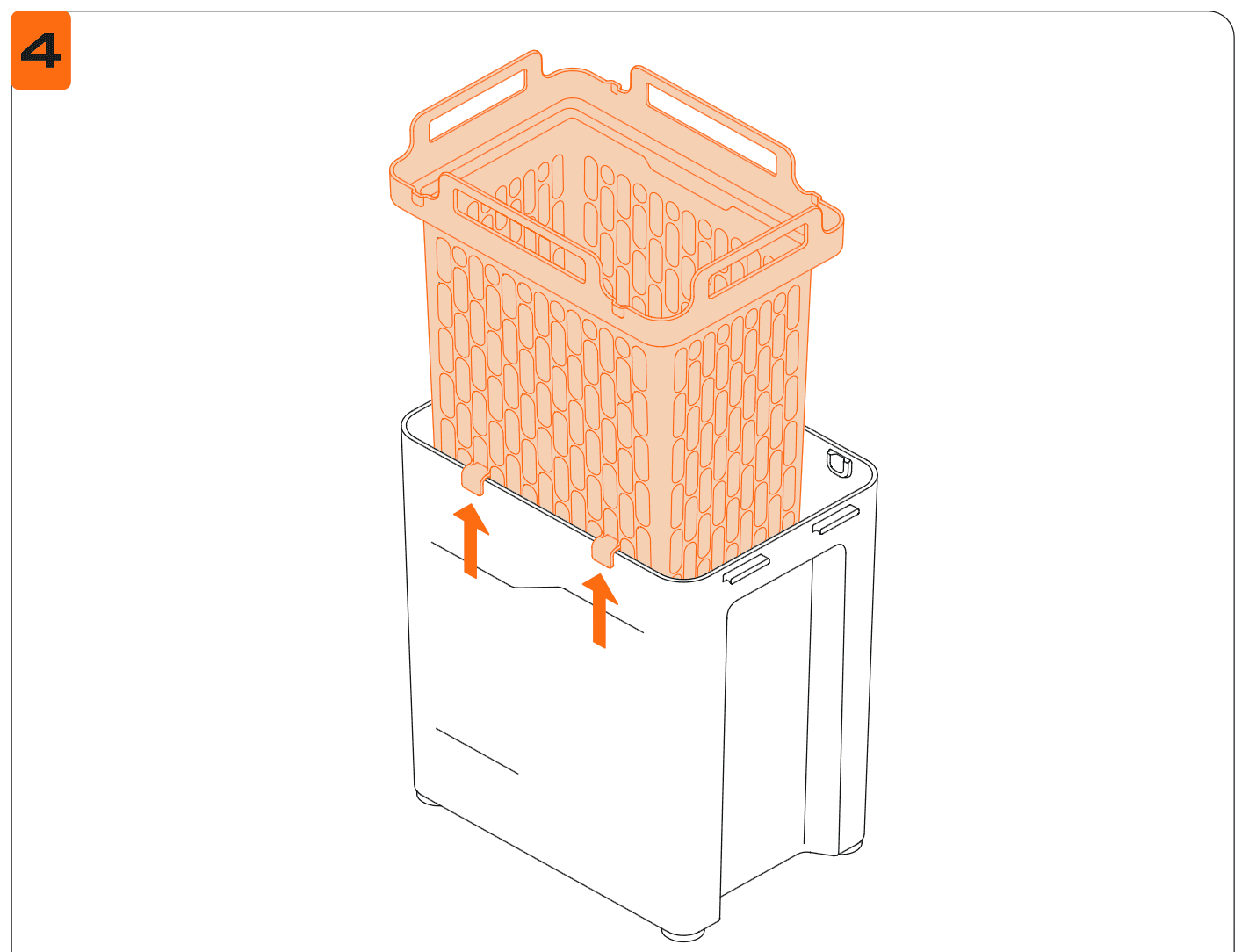
Parts can also be washed in the basket, either as an alternative or in addition to the platform mount. Place parts directly in the basket after removing them from the build platform using the removal tool, scraper, or flush cutters.
Setting up and starting a wash cycle
To set up and start a wash cycle:
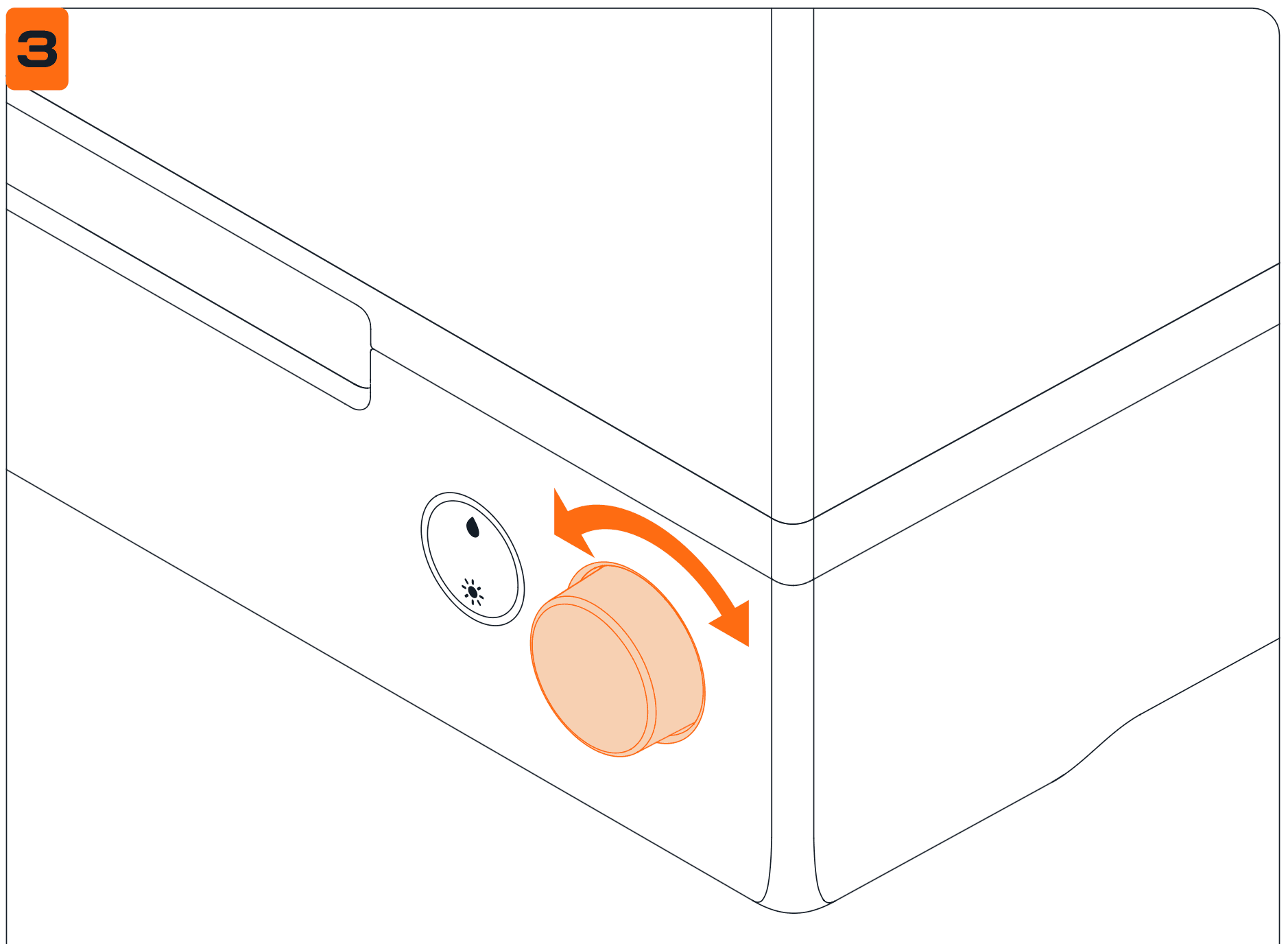
Part washing time depends on the resin and solvent used. Check Form Studio Wash+Cure time settings for specific wash time recommendations. Wash for additional time when using partially resin-concentrated solvent.
To pause a wash cycle:
To end a wash cycle:
Notice:
Remove the parts from IPA or other solvent immediately after the washing cycle is completed to avoid damage to or degradation of the printed part.
The Form Studio Wash+Cure will periodically beep (every two minutes) as a reminder to remove the parts. It also tracks the time since the cycle ended; beyond 30 minutes, the counter will be visible on the display.
Draining and drying prints
After the wash cycle is complete, thoroughly drain solvent from printed parts; carefully check and drain concave or hollow geometries that may hold additional solvent. Allow parts that have been washed in any solvent that evaporates readily to air dry for at least 30 minutes after washing and draining. Solvents that do not evaporate readily, such as tripropylene monomethyl ether (TPM), should be washed off the parts with a secondary water rinse.
You can either drain and dry the prints in the Form Studio Wash+Cure or outside of it:
Ensure appropriate ventilation while the solvent evaporates. Observe necessary safety precautions, according to the solvent supplier’s SDS. Options for drying include air drying or forced air. Forced air, such as a fan or clean compressed air, may dry parts more quickly.
Notice:
Check inside cavities and channels for uncured resin or liquid solvent. Remove residual liquid before drying to avoid fully or partially cured resin in unwanted areas. Compressed air may be helpful to empty internal channels before drying.
To begin the next wash immediately, dry the parts outside of the Form Studio Wash+Cure. Take extra care with sharp objects and slippery surfaces when removing wet parts from the build platform.
Collecting your prints
Remove the build platform or parts from the basket, depending on the wash method used previously.
Considerations for washing specific geometries
Consider the specific geometry of each part when choosing a method to wash the part and the sequence of steps. Take special care when washing parts that are large, hollow, concave or cup shaped, or have internal chambers or channels that hold solvent, air, or uncured resin inside.
Hollow geometries
Design hollow parts with drainage holes for successful printing. During the washing process, the drainage hole allows the solvent to flow inside and clean the internal surfaces. Take care when removing hollow parts from the alcohol bath. Check to ensure that all solvent drains out of the chamber before transferring the part to another surface.
Internal channels
Thin channels, such as those used in micro-fluidic designs, may not drain entirely on their own. Use a syringe filled with clean solvent to flush out internal channels. After cleaning, use compressed air to fully drain and dry the channel.
Large parts
Parts move around the basket with the circulation of solvent in the wash bucket. Parts that hang outside the basket perimeter may block the cover from closing or not be cleaned properly.
Whether using the build platform or basket as a wash method, the maximum single part size that can be washed in the Form Studio Wash+Cure is 20.0 × 12.5 × 22.5 cm (7.87 × 4.92 × 9.65 in).
Concave surfaces, printed and washed on the build platform
Hollowed parts—such as hollowed dental models—printed directly on the build platform can trap resin inside during the wash cycle, when they are still attached to the build platform. Consider washing these parts in the Form Studio Wash+Cure basket or adding a second wash cycle after removing them from the build platform to remove uncured resin that is not removed when washing on the build platform alone.
Solvent overflow
The solvent in the Form Studio Wash+Cure can overflow when washing parts that are larger than 1.6 L of enclosed volume with a build platform or 2.6 L of enclosure volume without a build platform. Consider how much solvent a printed part will displace before washing in the Form Studio Wash+Cure. Remove some solvent from the wash bucket before washing a large print.
Post-curing printed parts
Many resin types require post-curing to achieve their optimal mechanical properties. The Form Studio Wash+Cure helps ensure consistent post-curing by rotating printed parts during the post-cure cycle and exposing the part to light from all directions.
Inserting washed and dried printed parts
Fully dry all solvent off of printed parts after washing. Check all surfaces, because curing non-dried parts may trap solvent inside the part, prevent parts from strengthening, and affect quality.
Once parts are dry:
Setting up and starting a post-cure cycle
To set up and start a post-cure cycle:
See Form Studio Wash+Cure time settings for specific post-cure settings for each resin type.
To pause a post-cure cycle:
To end a post-cure cycle:
Additional finishing steps
Once parts are post-cured, use flush cutters to carefully cut the supports attached to the part(s). Supports can also be removed before post-curing, but parts may warp without structural support.
Caution:
Some methods of support removal may cause small pieces of supports to break away. Beware of flying debris. Wear eye protection and gloves to protect the skin and eyes.
In addition to removing supports, use sanding, polishing, priming, or painting to improve presentation, or use other equipment to create molds from printed parts.
Considerations for post-curing specific geometries
Consider the specific geometry of each part when starting the cycle. Modify the post-cure process for parts that are large or long, have dense support structures, or have thick or thin features.
Dense supports
Some parts require more dense or thicker support structures. These can inadvertently block light from reaching some part surfaces during post-curing. The Form Studio Wash+Cure helps ensure even post-curing by rotating the part during the cure cycle and exposing the part to light from all directions. Remove some supports, only as needed, to ensure that light can easily reach all part surfaces. Leave some supports in place whenever possible to prevent features from warping during post-curing.
Long and tall parts
The Form Studio Wash+Cure turntable has a diameter of 24.0 cm (9.45 in), and the maximum part height that can be post-cured in the Form Studio Wash+Cure is 22.5 cm (8.9 in). Most parts should be post-cured before removing support structures to preserve their shape and prevent warping. While some parts may fit on the turntable more easily without supports, long or tall prints may require special arrangements to stand on the turntable without support. Consider the part dimensions when designing the support structures or planning the post-cure steps.
Thin features
Warping during post-curing may occur if a part is especially thin, inadequately supported, or unevenly exposed to light. The Form Studio Wash+Cure helps prevent warping by rotating the part during the cure cycle and by exposing the part to light from all directions. Use support settings or manual editing to design sufficient supports so that thin features do not warp during post-curing. In the case of a thin, flat, sheet-like object, placing the part directly on the turntable may offer the best support during post-curing.