
Note:
Open Material Mode jobs can only be set up in the Standard Workspace.

With Open Material Mode, you can print with any type of 405 nm photopolymer resin on Formlabs SLA printers. Open Material Mode is available for a one-time lifetime fee per printer.
Follow the steps in this article to print with Open Material Mode on your Formlabs SLA printer.
要求
Note:
Open Material Mode jobs can only be set up in the Standard Workspace.
创建与 Open Material Mode 搭配使用的打印设置
要使用 Open Material Mode 进行打印,首先需要使用 PreForm 打印设置编辑器创建打印设置:
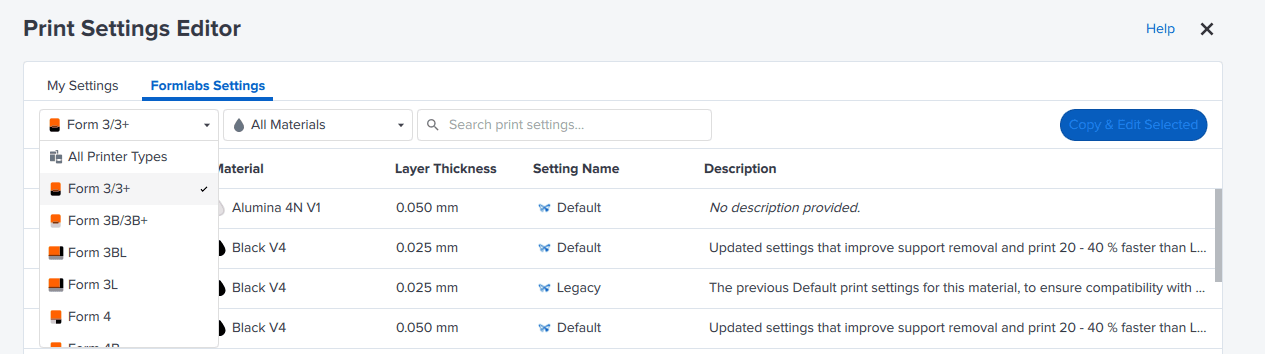
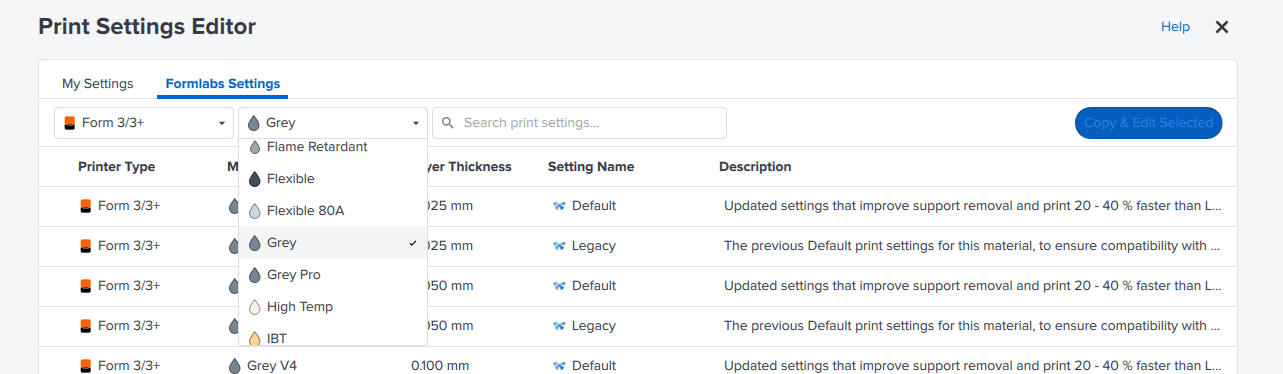
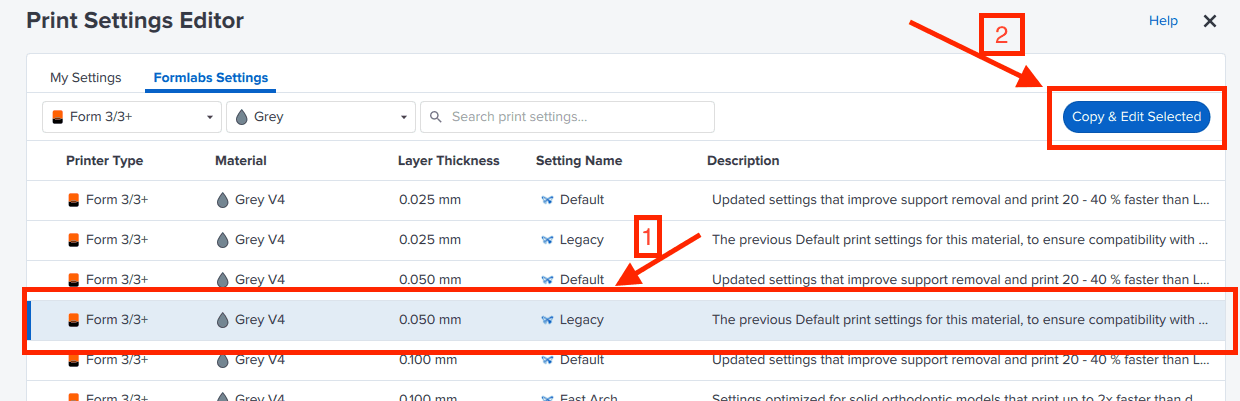
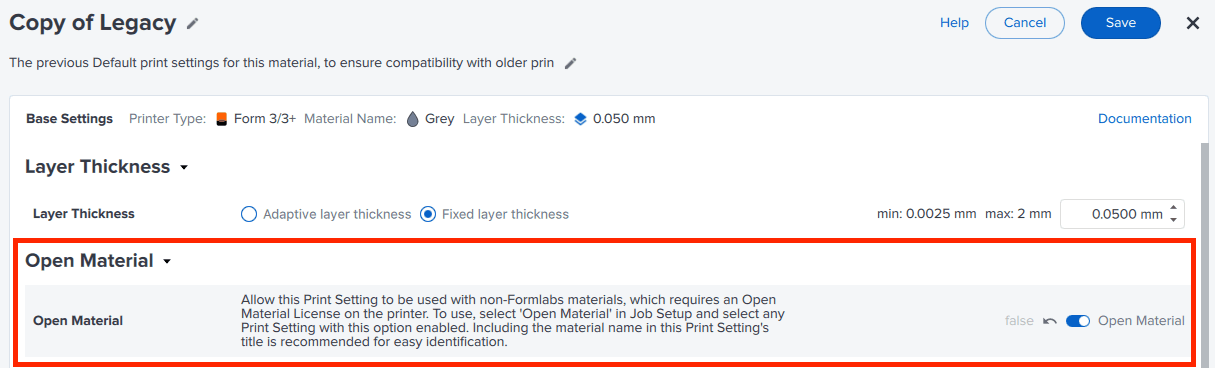
The print setting is now available to set up jobs using any 405 nm photopolymer resin.
使用自定义打印设置以设置打印
创建自定义 Open Material 打印设置后,即可将其用于切片并将任务发送到已激活 Open Material Mode 的打印机。

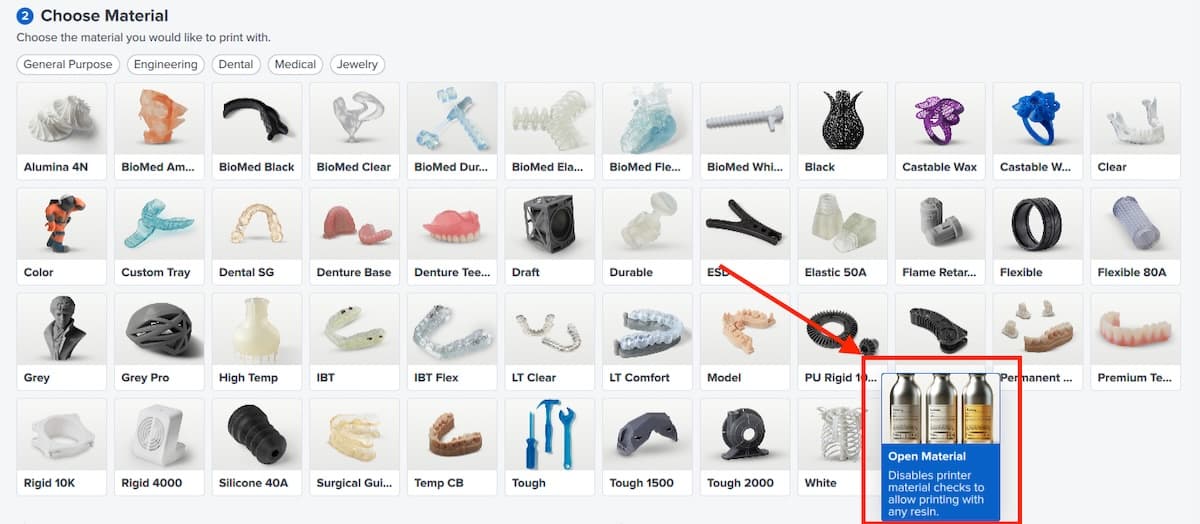
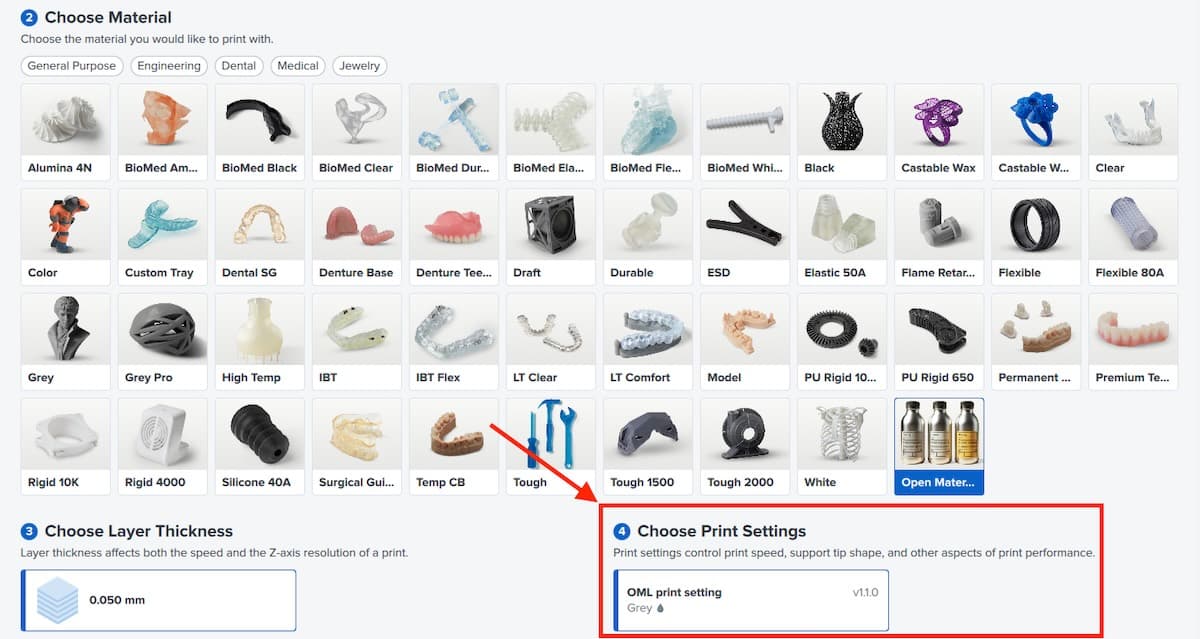
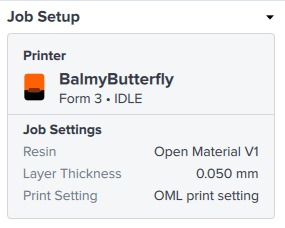
Setting up your printer to print with Open Material Mode
Insert a new resin tank and manually pour in the resin you want to print with. When printing with a job with Open Material Mode, automatic resin dispensing is disabled.
Note:
Use a dedicated tank for printing with Open Material Mode. The printer automatically programs the tank for use with open materials.
Printer behavior with Open Material Mode
When printing with Open Material Mode, the printer behaves differently than when printing with a Formlabs resin. Here are some things to keep in mind:
利用 Open Material Mode 进行打印的提示
Printer and consumable performance may also change depending on the third-party resin you are using.
Depending on the non-Formlabs resin you are printing with, the tank lifetime may be shortened. Performance may degrade significantly and lead to tank failures and damage to your printer. You are responsible for monitoring lifetime and performance of the resin tank.
Formlabs SLA printers heat resin while preparing for a print. For non-Formlabs resins, this may lead to evaporation of volatile components. Ensure appropriate ventilation when printing with third-party resins.