白皮书
Formlabs Logo

Replacing IPA

Replacing IPA

Over time, solvent accumulates dissolved liquid resin, which reduces its efficacy. For best surface quality, replace your wash solvent when the resin concentration is too high or when it no longer effectively cleans printed parts.

When using a Form Wash, a Form Wash L, or a Finish Kit, check the resin concentration with a hydrometer.

  • For isopropyl alcohol (IPA), replace the used solvent when the resin concentration reaches 10% or when the O-ring of the hydrometer that is included with the Form Wash (after it is calibrated in fresh IPA) rises above the float's tall wings.
  • For tripropylene glycol monomethyl ether (TPM), replace the used solvent when resin concentration reaches 30–32% or when the specific gravity is above 1.0.
  • For Formlabs Resin Washing Solution, replace the used solvent when the specific gravity is above 0.975.

When using a Form Wash L, the included solvent monitor measures the resin concentration. The Form Wash L notifies you when the solvent needs to be replaced.

Danger:

Always consult the safety data sheet (SDS) from the IPA supplier as the primary source of information. IPA is flammable and should be used and stored away from ignition sources. Store small quantities of IPA in appropriately labeled and sealed containers.

开始打印前

Before replacing the solvent in the Form Wash or Form Wash L, ensure the included siphon pump has been properly assembled.

Purchase the following additional supplies to replace solvent:

  • Chemically resistant container designated for safe storage of unpolymerized plastic resin and IPA or TPM.
  • Sufficient replacement IPA (90% or higher) or TPM.
  • TPM only: A hydrometer that can measure a specific gravity of 0.962–1.000.

Note:

The Form Wash V1 holds 8.6 L of solvent. The Form Wash V2 holds 15 L of solvent. The Form Wash L holds 42 L of solvent. Ensure that you purchase sufficient replacement solvent and that all storage containers are large enough to store the used solvent.

Siphon pump

The Form Wash V1 and Form Wash L come with a siphon pump for moving solvent between the wash bucket and solvent containers. The Form Wash V2 does not include a siphon pump. Solvent can be poured from its container directly into the wash bucket.

A battery-powered siphon pump is also available for sale on the Formlabs Store.

Manual siphon pumpElectric siphon pump

To assemble the siphon pump packaged with the Form Wash V1, screw the handle (A) into the rigid tube (B) of the siphon pump.

Note: Refer to the support article Receiving and setting up the Form Wash for more information on installing the Form Wash siphon pump.

To assemble the electric siphon pump packaged with the Form Wash L:

  1. Install two D cell batteries in the pump.
  2. Attach the flexible pump hose to the port on the side of the pump.

Changing the solvent - Form Wash V1

Remove the wash bucket and inner lid

  1. Turn the Form Wash knob to select Open on the display.
  2. Push the knob to confirm. The Form Wash raises the mount and basket out of the wash bucket, and opens the inner and outer lid.
  3. Lift the wash bucket forward and upward to remove it from the base.
  4. Set the wash bucket on a clean, stable surface.
  5. Lift the inner lid to remove it.

Transfer used solvent into an empty container

  1. For optimal flow, elevate the source container—the wash bucket with used solvent—above the empty receiving container.
  2. Place the rigid tube (B) in the source container and the flexible tube in the receiving container.
  3. To initiate flow, squeeze the handle (A) several times, then hold.
  4. Gradually release the handle when the solvent begins flowing through the flexible tube.

Caution:

Watch the siphon pump after initiating the flow. The flow continues automatically as long as the source container is elevated above the receiving container.

Clean the wash bucket (optional)

For the cleanest wash, rinse the wash bucket with IPA or water, then wipe any remaining residue with a paper towel.

Refill the wash bucket with fresh solvent

Use the siphon pump to refill the wash bucket between the minimum and maximum fill lines.

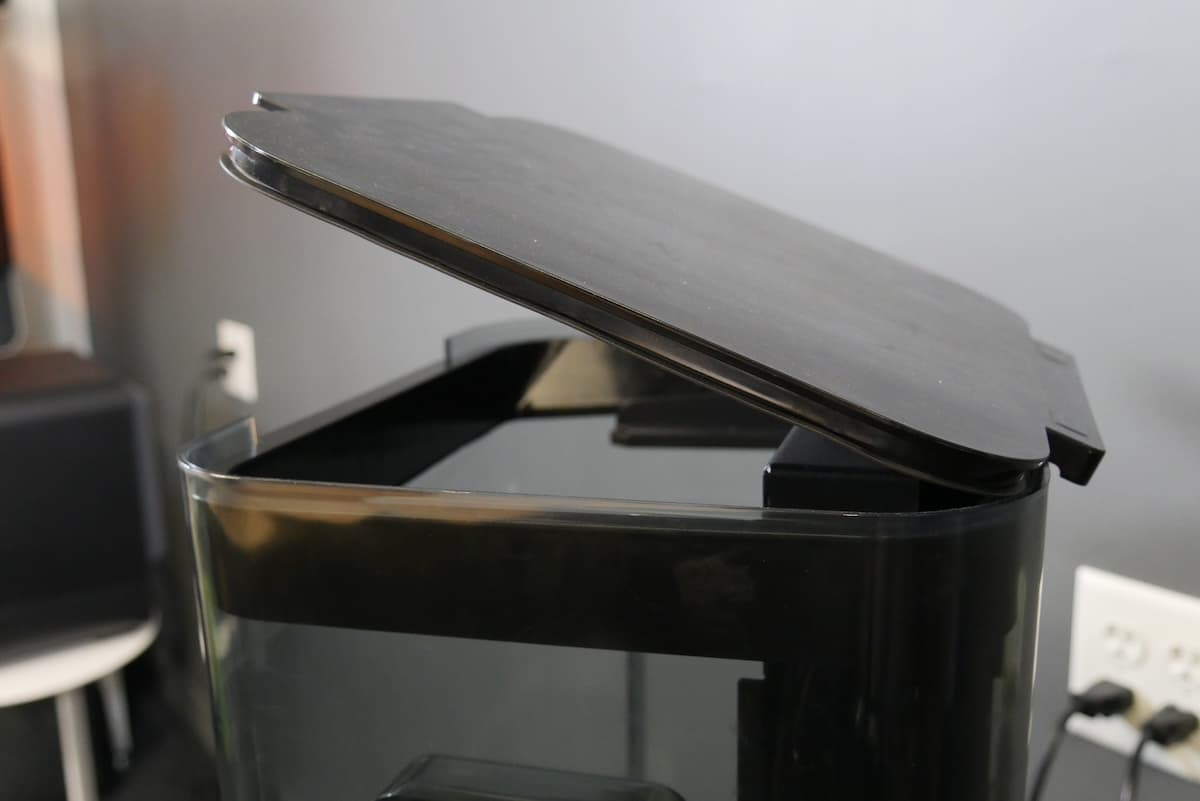
Install the inner lid

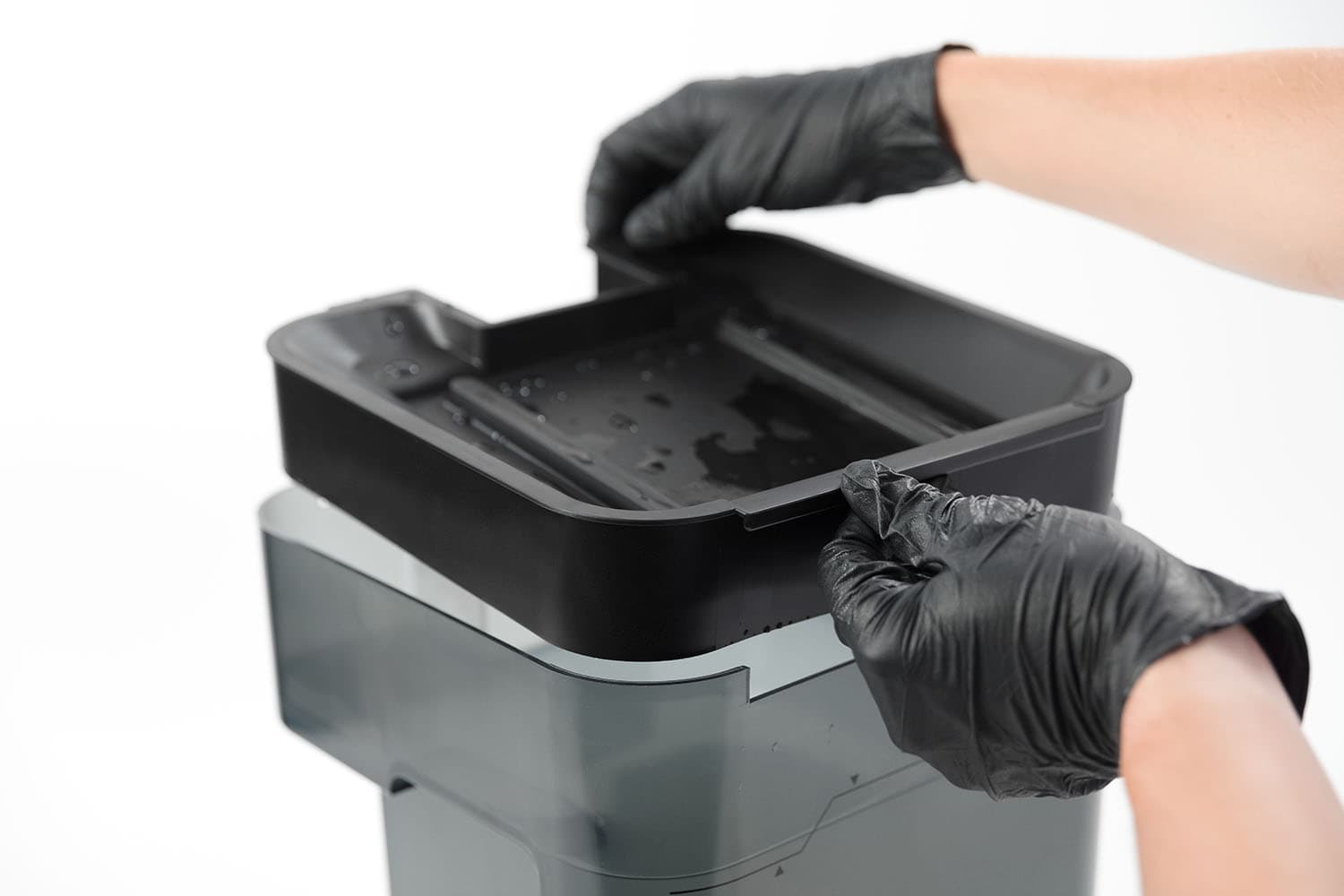
Align the front edge of the inner lid with the wash bucket's edge and lower the inner lid directly into the top of the wash bucket.

Installing the inner lid on the Form Wash V1

Insert the wash bucket

Insert the wash bucket into the Form Wash.

Changing the solvent - Form Wash V2

Remove the wash bucket and inner lid

  1. Turn the Form Wash knob to select Raise on the display.
  2. Push the knob to confirm. The Form Wash raises the elevator and basket out of the wash bucket, and opens the inner and outer lid.
  3. Lift the wash bucket forward and upward to remove it from the base.
  4. Set the wash bucket on a clean, stable surface.
  5. Lift the inner lid to remove it.

Transfer used solvent into an empty container

  1. Place the intake end of the electric siphon pump into the wash bucket.
  2. Securely clip or hook the flexible pump hose onto the empty solvent container. Position the hose so that the tip will stay above the solvent until the container is almost full. The hose has a sensor that will turn off the pump when the tip is submerged.
  3. Turn on the pump switch to transfer solvent from the wash bucket to the solvent container.

Clean the wash bucket (optional)

For the cleanest wash, rinse the wash bucket with IPA or water, then wipe any remaining residue with a paper towel.

Refill the wash bucket with fresh solvent

Pour solvent into the wash bucket or use the siphon pump to refill the wash bucket to your desired fill level.

Install the inner lid

Align the front edge of the inner lid with the wash bucket's edge and lower the inner lid directly into the top of the wash bucket.

Insert the wash bucket

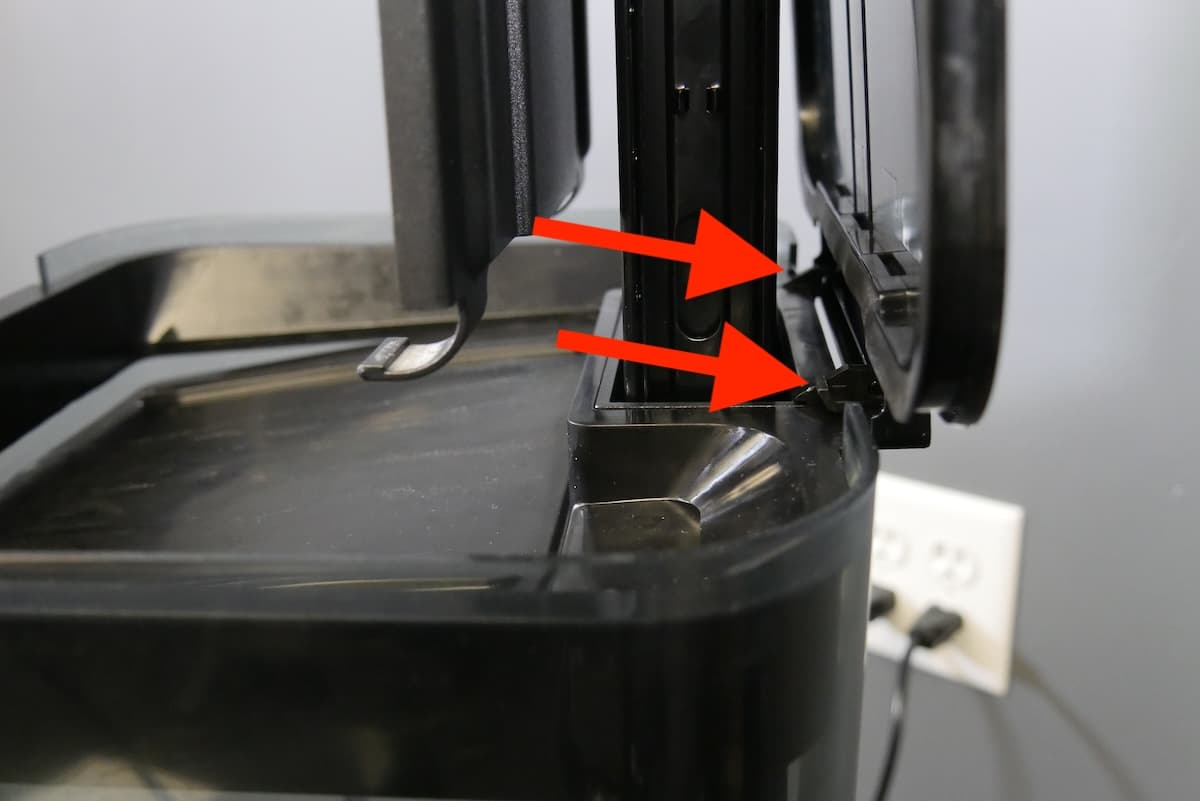
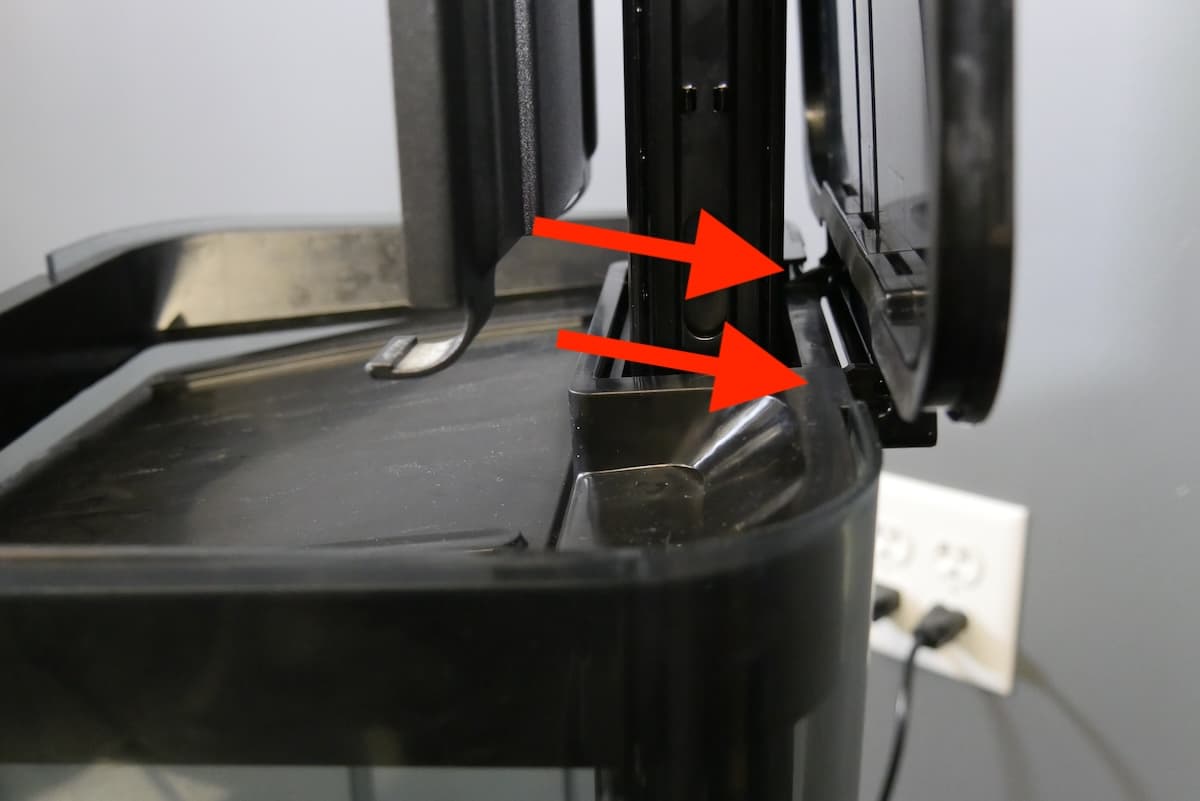
Insert the wash bucket into the Form Wash. Ensure that the inner lid assembly sits below the tabs at the base of the outer lid. If it sits on top of these tabs, the Form Wash elevator will jam and be unable to lower properly.

正确对齐的内盖组件
Improperly-aligned inner lid assembly

正确对齐的内盖组件

内盖组件未正确对齐

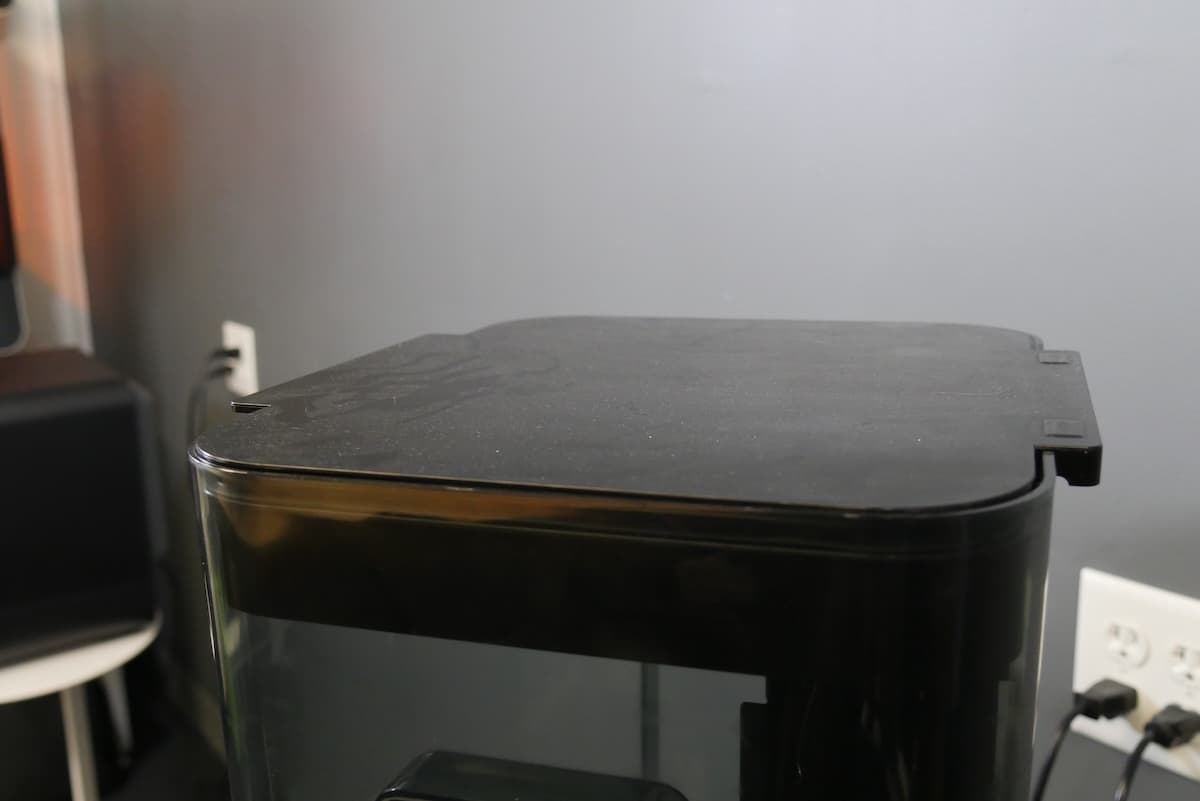
Form Wash V2 fully closed
Form Wash V2 with elevator unable to lower

Form Wash V2 fully closed

Form Wash V2 with elevator unable to lower

Changing the solvent - Form Wash L

Select your solvent

  1. On the touchscreen, tap Solvent. The Solvent screen appears.
  2. Tap Replace Solvent. Follow the on-screen instructions to empty and refill the wash bucket.

Transfer used solvent into an empty container

  1. Place the intake end of the electric siphon pump into the wash bucket.
  2. Securely clip or hook the flexible pump hose onto the wash bucket. Position the hose so that the tip will stay above the solvent until the wash bucket is almost full. The hose has a sensor that will turn off the pump when the tip is submerged.
  3. Turn on the pump switch to transfer solvent from the wash bucket to the solvent container.

Clean the wash bucket (optional)

  1. Tap Raise. The platform mount rises out of the wash bucket.
  2. Open the Form Wash L door and gently pull the wash bucket towards yourself to remove it from the Form Wash L.
  3. The wash bucket is still connected to the machine via the solvent monitor at this time, so place the wash bucket next to the Form Wash L.
  4. Unclip the solvent monitor bracket from the front edge of the wash bucket.
  5. Lift the solvent monitor bracket (with the solvent monitor attached) out of the wash bucket and set it aside on a paper towel or other absorbent surface.
  1. Lift the inner lid off of the wash bucket. Set it aside.
  2. Remove the impellers and inspect the area underneath the impellers for signs of wear. Visible gouges are a sign that wash bucket failure is imminent and the wash bucket must be replaced before continuing use.
  3. If no damage is visible, reinstall the impellers.
  4. Clean the wash bucket and reinsert it into the Form Wash L. Push the wash bucket in until it reaches the back wall of the unit.

Reinstall the wash bucket

  1. Place the inner lid back onto the wash bucket.
  2. Reinsert the wash bucket into the Form Wash L. Push the wash bucket in until it reaches the back wall of the unit.

Refill the wash bucket with fresh solvent

Use the siphon pump to refill the wash bucket with new solvent.

  1. Place the electric siphon pump intake into the solvent container.
  2. Securely place the flexible pump hose into the wash bucket.
  3. Turn on the pump switch to transfer solvent from the solvent container to the wash bucket. Refill the wash bucket between the minimum and maximum fill lines.

Replace the solvent monitor

Clip the solvent monitor bracket (with the solvent monitor attached) onto the front edge of the wash bucket.

回收或处置废溶剂

Refer to the SDS sheets and your local regulations for proper disposal methods.

IPA

Refer to the support article Isopropyl alcohol (IPA) for more information about safe disposal of used IPA.

Notice:

Do not pour liquid or partially cured resin into drains or dispose of it with household waste. Do not pour isopropyl alcohol (IPA) that contains dissolved resin into drains or dispose of it with household waste. Safe and appropriate disposal methods of used IPA vary by location.

TPM

Refer to the support article Tripropylene glycol monomethyl ether (TPM) for more information about safe disposal of used TPM.

Notice:

Do not pour liquid or partially cured resin into drains or dispose of it with household waste. Do not pour Tripropylene glycol monomethyl ether (TPM) that contains dissolved resin into drains or dispose of it with household waste. Safe and appropriate disposal methods of used TPM vary by location.