
白皮书
粉末传感器问题 (Fuse Sift)
粉末传感器问题 (Fuse Sift)
Fuse Sift 粉末传感器可报告每个料斗中的大致粉末含量,但会经常报告错误或不直观。每个料斗有四个传感器,分别位于 1kg、2kg、4kg 和 8kg 重量处。Fuse Sift 只显示已覆盖传感器的粉末量,不会显示更多。例如,Fuse Sift 会将 6kg 粉末读取为 4kg,3kg 粉末读取为 2kg 等。
表现
- Fuse Sift 中添加的粉末多于触摸屏上显示的粉末量
- Fuse Sift 报告料斗比实际更满,包括料斗为空时
- Fuse Sift 报告料斗已满,但在尝试填充粉末盒时显示 Fresh Hopper Empty(新料斗为空) 或 Sifted Hopper Empty(筛分料斗为空) 错误
常见原因
- 正常运行
- 固件问题
- 粉末传感器受阻
- 粉末传感器故障
故障排查步骤
- Compare the amount of powder you added to the Fuse Sift to the fullness level reported on the touchscreen. If you add a single 3 kg powder jug to an empty fresh powder hopper, the Fuse Sift will report 2 kg of powder in the hopper. If you add a second jug, totaling 6 kg, the display will show 4 kg of powder. This is normal and your Fuse Sift should operate as expected.
- Update the firmware. Firmware version 1.4.3, released on July 18, 2022, fixed a bug related to hopper fullness detection and display, and Formlabs regularly releases updated firmware to fix bugs and improve functionality.
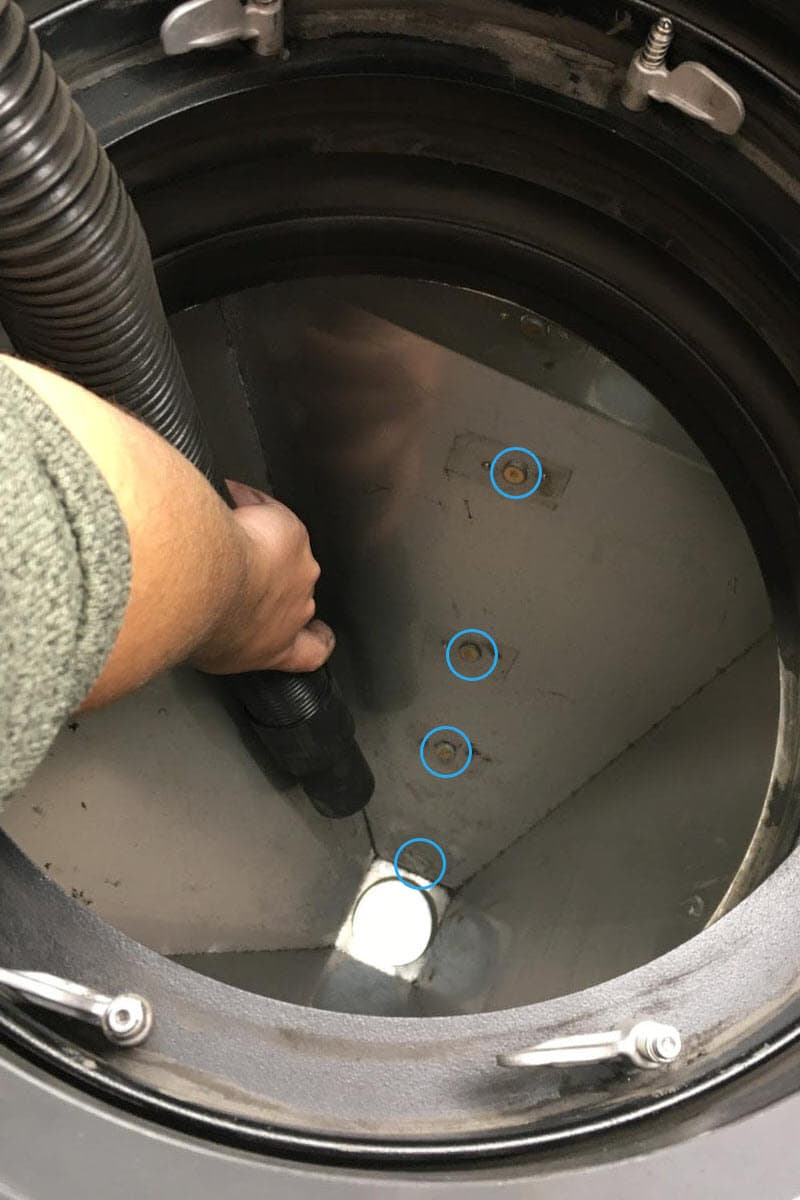
- Clean the fresh powder hopper and the used powder hopper, paying attention to the four powder sensors in each hopper. Powder often collects on top of the sensor and falsely triggers it.
- If powder accumulation is causing frequent issues with hopper fullness tracking, you can continue to clean the sensors or ignore any fill-related errors if you know there is sufficient powder in the hoppers.
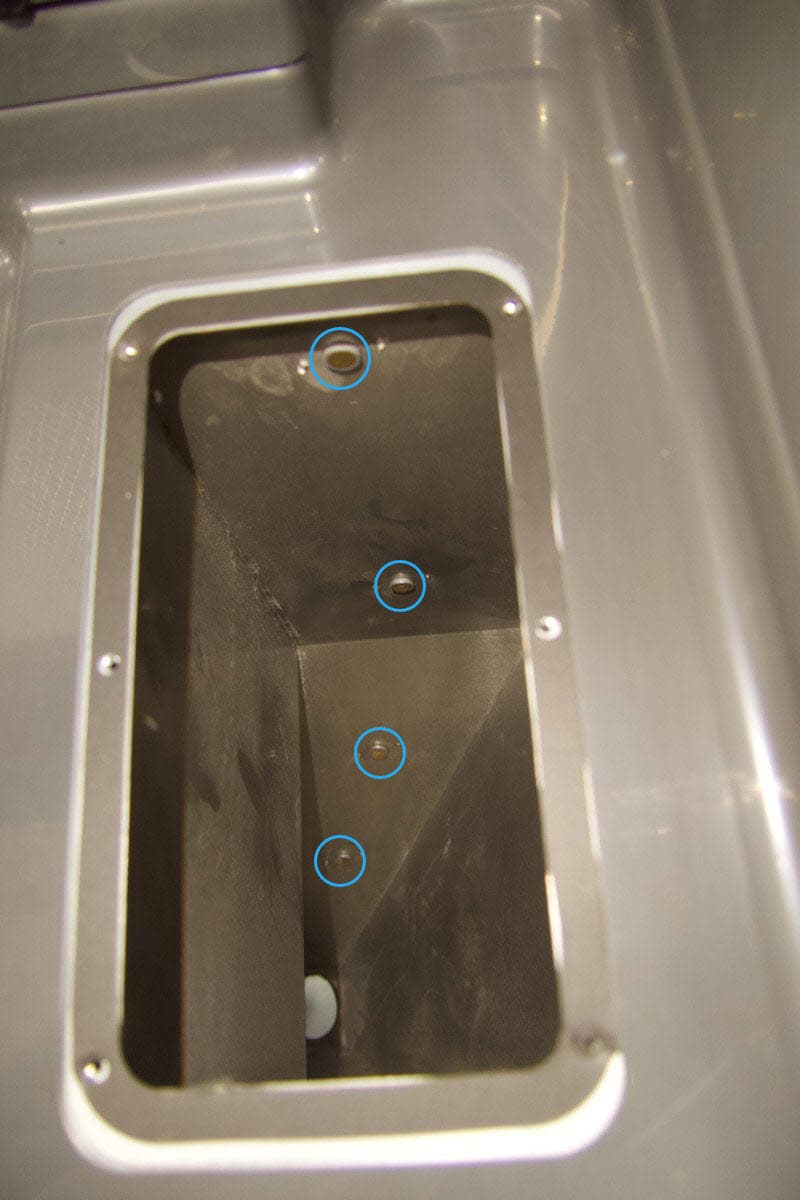
新粉末料斗传感器
旧粉末料斗传感器
- 如果问题持续存在,可能需要更换一个或多个粉末传感器。可在 Formlabs 商店购买粉末传感器替换件。请按照指南更换 Fuse Sift 粉末传感器更换组件。