注:
请确保打印机固件和 PreForm 均为最新版本。若要检查打印机的固件版本,请参阅支持文档检查 Formlabs SLA 打印机的固件版本。若要更新 PreForm 版本,请参考 FAQ 文档如何更新 PreForm?。

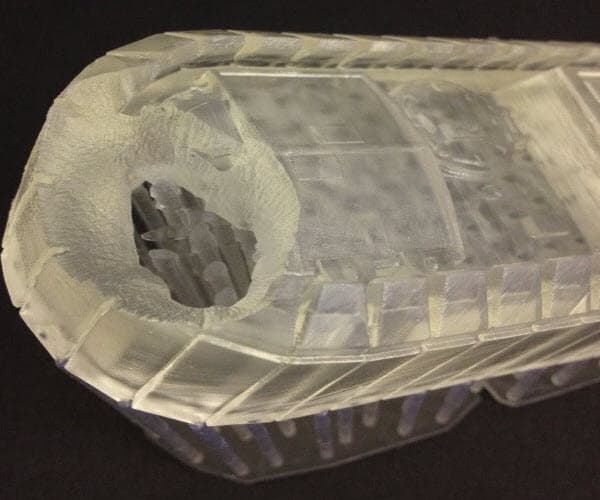
An "undeveloped feature" is a print defect in which a void of missing material forms within a print and widens as the print builds away from the build platform. These voids can look like a crater and frequently exhibit sharp edges and rough surfaces. In some cases, it can look like the missing material exploded” outwards from the build platform.

This type of defect is a print failure unique to stereolithography (SLA). If a piece of the print sticks to the bottom of the resin tank, that piece partially blocks the laser from reaching the next layer of the print. The piece stuck to the tank expands with each additional cured layer and prevents other features from forming.
视觉症状
常见原因
Any of the following factors, or a combination of them, can cause prints to have undeveloped features:
故障排查步骤
成功的故障排除可以识别症状并系统地缩小问题的根源。按照下方故障排查步骤检查打印缺陷的潜在原因,并按照可能性从高到低的顺序进行排除。
注:
请确保打印机固件和 PreForm 均为最新版本。若要检查打印机的固件版本,请参阅支持文档检查 Formlabs SLA 打印机的固件版本。若要更新 PreForm 版本,请参考 FAQ 文档如何更新 PreForm?。
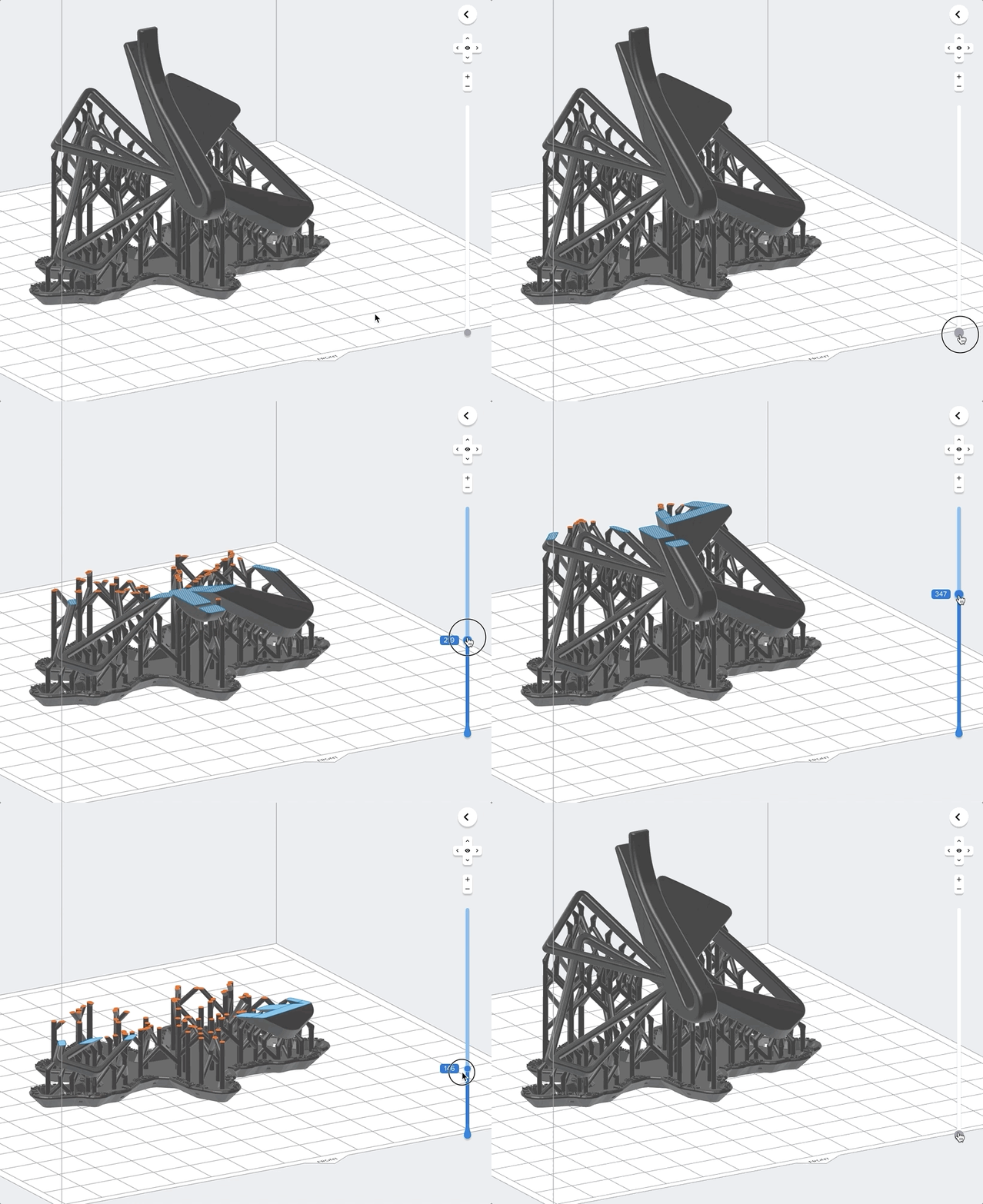
Step 1: Check the model in PreForm
Review the model in PreForm for orientation, layout, or support issues:

Step 2: Check the resin tank
Any damage or debris in or on the resin tank can block the laser at that location, preventing the resin directly above it from curing. Inspect the inside and underside of the tank for dirt, dust, and/or fingerprints. The bottom of the tank must be clean for the best print results.
| Form 2 | OTHER FORMLABS SLA PRINTERS (FORM 3 OR LATER) |
|---|---|
|
|
提示:
保持树脂槽清洁且状况良好 ,对可靠、成功的打印至关重要。
Step 3: Check the optical surfaces
Any contamination, dust, or debris on the printer’s optical surfaces can cause the laser light to diffuse or weaken, resulting in a print failure. Contamination is most likely to occur on an exposed optical surface in the printer.
The optical surface most likely to be contaminated is the release texture, which sits atop the Light Processing Unit (LPU) and Backlight Unit.
The optical surface most likely to be contaminated is the glass optical window, which sits atop the Light Processing Unit (LPU).
The optical surface most likely to be contaminated is the glass optical window beneath the resin tank that protects internal components from contamination.
注意:
请严格遵守光学表面清洁指南进行操作,否则可能对打印机造成损坏。
联系 Formlabs Support
If the troubleshooting steps above do not resolve the print failure, contact Formlabs Support or your authorized reseller.
To help us provide the fastest and most effective response to your issue, please follow these steps: